ChatGPT Prompts: The Ultimate Guide with 20+ Concrete Examples for Exceptional Responses
ChatGPT has become the most widely used artificial intelligence tool in the world, with over 200 million active users. Yet the majority of users only tap into a tiny fraction of its potential. The difference between a mediocre result and an exceptional response comes down to a single factor: the quality of your prompt. In this exhaustive guide, you will discover exactly how to craft your prompts to get the best possible responses from ChatGPT, with over 20 concrete examples you can copy and adapt immediately.
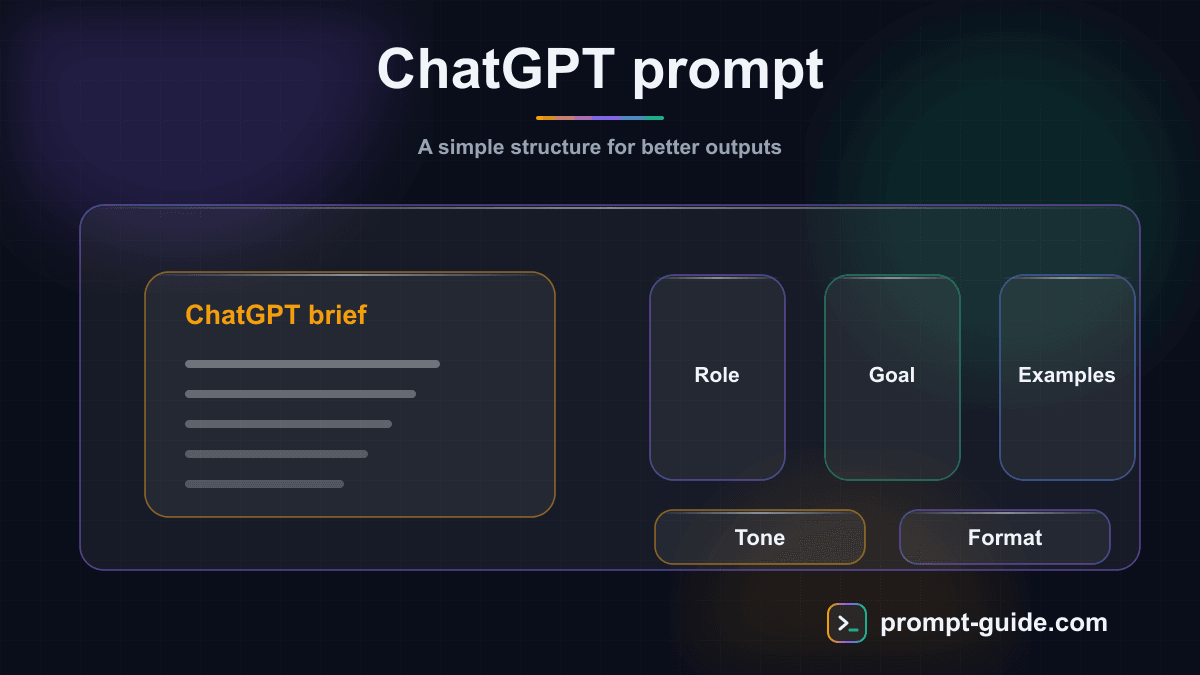
10 Best Practices for Perfect ChatGPT Prompts
After thousands of prompts tested, here are the best practices that consistently make the difference between an average result and an exceptional one on ChatGPT.
- Use clear delimiters (quotes, brackets, dashes) to separate the different parts of your prompt: instructions, context, data, expected format. This helps ChatGPT understand the structure of your request.
- Ask ChatGPT to reason step by step ('Let's think step by step') for complex problems. This simple phrase can improve response quality by 30 to 70% on reasoning tasks.
- Provide examples of the expected result. A single good example is often worth more than 500 words of instructions. Show ChatGPT exactly the format and style you are looking for.
- Be explicit about what you do NOT want. 'Don't start with "Sure!"', 'No technical jargon', 'Avoid bullet points'. Negative constraints are often as useful as positive instructions.
- Use ChatGPT's Custom Instructions so you don't have to repeat your preferences in every conversation: your profession, preferred style, usual constraints. This saves time and improves consistency.
- For long content, proceed in stages: first ask for an outline, validate it, then request the writing section by section. This produces much better results than a single monolithic prompt.
- Leverage conversation memory: refer to previous exchanges ('as in your previous response,' 'keeping the same tone'). ChatGPT retains the context of the entire conversation.
- Test the same prompts in both your language and English. For certain technical tasks (code, SEO, data), English prompts may yield better results since the model was primarily trained in English.
- Use custom GPTs for your recurring tasks. Create a GPT configured with your favorite instructions, knowledge base, and style that you can reuse with a single click.
- Ask ChatGPT to critique its own response: 'Now evaluate your response and identify 3 weaknesses, then improve it.' This self-critique technique consistently produces superior results.
GPT-4o vs GPT-4o mini vs o1: Which Model to Choose?
OpenAI now offers several models with different strengths. Here is a guide to choosing the right model for your use case and optimizing your prompts accordingly.
- GPT-4o: The Advanced Generalist — Best for: complex general tasks, long and structured content generation, document and image analysis, nuanced conversations, code, web search. Price: included in ChatGPT Plus ($20/month). Optimized prompt: provide plenty of context and be specific about your expectations — GPT-4o excels when it has all the necessary information.
- GPT-4o mini: The Fast and Economical — Best for: simple and quick tasks, initial brainstorming, factual Q&A, rephrasing, translations. Free and very fast. Optimized prompt: stay concise and direct — this model performs well with clear, simple instructions without information overload.
- o1 / o3: The Reasoners — Best for: mathematics, logic puzzles, complex code, multi-step analysis, problems that require 'thinking.' Slower but more reliable for reasoning. Optimized prompt: describe the problem clearly without asking it to 'think step by step' (these models already do this automatically). Focus on precisely defining the problem.
- When to Upgrade to ChatGPT Plus? — The Plus subscription ($20/month) is worth it if you: use ChatGPT daily for work, need to analyze images or documents, want access to advanced GPTs and advanced search mode, or if the quality of your results is directly tied to your productivity. The return on investment is generally evident from the first week of professional use.
How to Write a Good ChatGPT Prompt: The 5-Step Method
A good ChatGPT prompt is not just a simple question. It is a structured instruction that guides the model toward exactly the result you are looking for. Here is the proven 5-step method for writing prompts that work every time.
Define a Specific Role
Always start by assigning a role to ChatGPT. 'You are a digital marketing expert with 10 years of experience in B2C e-commerce' is infinitely more effective than directly asking your question. The role shapes the vocabulary, level of detail, and perspective of the responses. Be specific: an 'SEO writer specializing in health' will yield different results than a simple 'writer.'
Provide Rich Context
Give ChatGPT all relevant information: your industry, target audience, constraints, project history. The more precise the context, the less ChatGPT has to 'guess' and the more relevant the response will be. Don't hesitate to paste data, document excerpts, or examples of existing content directly into your prompt.
Formulate a Clear and Specific Instruction
Use precise action verbs: 'write,' 'analyze,' 'compare,' 'propose 5 alternatives,' 'create a comparison table.' Avoid vague phrasings like 'tell me about' or 'help me with.' If your task is complex, break it down into numbered sub-steps that ChatGPT can follow sequentially.
Specify the Output Format
Indicate exactly how you want the response: word count, structure (list, table, paragraphs, code), tone (formal, casual, technical), and any specific elements to include or exclude. For example: 'Respond in 300 words maximum, with H2 subheadings, a summary table, and 3 concrete examples.'
Iterate and Refine
The first result is rarely perfect. Use follow-up prompts to refine: 'Make the tone more casual,' 'Add concrete numbers,' 'Expand on point 3,' 'Rephrase for a non-technical audience.' ChatGPT retains the conversation context, making iteration very natural and efficient.
ChatGPT Prompts for Development and Code
ChatGPT is a powerful development assistant. Here are specialized prompts for developers, from beginner to senior level.
- Debugging and Bug Resolution — Prompt: 'You are a senior developer in [language/framework]. I have this error: [paste the error message]. Here is my code: [paste the code]. Here is what I have already tried: [attempts]. Explain the root cause of the bug in simple terms, propose the fix with the modified code, and give me a method to prevent this type of error in the future.'
- Code Review — Prompt: 'You are a lead developer conducting a strict but constructive code review. Analyze this [language] code: [paste the code]. Evaluate: 1) Potential bugs and unhandled edge cases, 2) Performance (algorithmic complexity, unnecessary queries), 3) Security (injections, XSS, sensitive data), 4) Readability and maintainability, 5) Adherence to [framework] best practices. Overall score out of 10 and top 3 priority improvements.'
- Project Architecture — Prompt: 'You are a software architect. I need to design a [type of application] with these requirements: [main features, expected number of users, budget/constraints]. Propose a technical architecture: recommended stack (frontend, backend, database, infrastructure), folder structure, database schema, diagram of main components, and complexity estimate for each part (dev days).'
ChatGPT Prompts for Content Creation and Marketing
ChatGPT excels at content creation when given the right directives. These prompts are optimized for digital marketing and engaging content creation.
- SEO Blog Article — Prompt: 'You are a senior SEO writer. Write a 1,500-word blog article optimized for the keyword [keyword]. Structure: catchy H1 title, introduction with the problem/promise (100 words), 5-7 H2 sub-sections with H3s if needed, conclusion with CTA. Include: the keyword in the title, the first 200 words, and naturally throughout the text. Tone: [formal/casual]. Audience: [description]. Add meta-title (60 chars) and meta-description (155 chars).'
- LinkedIn Posts (Carousel) — Prompt: 'Create a 10-slide LinkedIn carousel on [topic]. Target audience: [audience]. Slide 1: scroll-stopping hook (provocative question or shocking statistic). Slides 2-9: one idea per slide, short sentences (max 20 words per point), logical progression. Slide 10: summary + engagement CTA (comment or share). Add the accompanying post text with 3-5 relevant hashtags.'
- YouTube Video Script — Prompt: 'You are a YouTube creator with 1M subscribers. Write the script for a [X-minute] video on [topic]. Structure: hook in the first 5 seconds (shocking statement), problem introduction (30 sec), main content with dynamic transitions, like/sub call-to-action in the middle, memorable conclusion. Indicate key moments for visuals/B-roll. Add 5 ethical clickbait title ideas and an SEO description.'
- Social Media Strategy — Prompt: 'You are a social media manager. Create a one-month editorial calendar for [brand/company] on [Instagram/TikTok/LinkedIn]. Industry: [industry]. Goal: [awareness/engagement/conversion]. Propose 3 posts per week with: format (reel, carousel, story, post), topic, hook, hashtags. Include an 80/20 mix (value/promotion) and optimal posting times.'
- Sales Page / Landing Page — Prompt: 'You are a copywriter specializing in direct response. Write the copy for a landing page for [product/service]. Price: [amount]. Target audience: [detailed persona with pain points and desires]. AIDA structure: Attention (shocking headline + subtitle), Interest (aggravated problem), Desire (solution + benefits + social proof + testimonials), Action (CTA, guarantee, urgency). Add 3 headline variants for A/B testing.'
ChatGPT Prompts for Studies and Learning
ChatGPT is a tremendous learning tool when you know how to use it. These prompts are designed to help students and self-learners study more effectively.
- Explaining a Complex Concept — Prompt: 'Explain [complex concept] to me as if I were 15 years old, using everyday analogies. Start with the main idea in one simple sentence. Then develop it in 3 levels of increasing depth. End with a 3-question quiz to check my understanding. Subject: [subject].'
- Study Sheet — Prompt: 'Create a comprehensive study sheet on [topic/chapter] for an exam in [subject] at [bachelor's/master's/etc.] level. Structure: key definitions (glossary format), important concepts with examples, formulas or rules to remember, 5 exam-style questions with detailed answers, mnemonic devices for remembering difficult points.'
- Essay Outline — Prompt: 'You are a professor of [subject] at preparatory school level. Propose a detailed essay outline on the topic: "[topic]." Structure in 3 parts with 3 sub-parts each. For each sub-part, indicate: the main argument, a specific example (author, work, date), and a transition to the next sub-part. Add a written introduction and conclusion.'
- Personal Tutor — Prompt: 'You are my personal tutor in [subject]. I am at the [beginner/intermediate/advanced] level. I want to understand [topic]. Adopt a Socratic approach: ask me questions to guide me toward understanding rather than giving me the answers directly. If I make a mistake, explain why with kindness. Start by assessing my current level on this topic.'
- Book/Article Summary — Prompt: 'Summarize [book/article title] by [author] following this structure: the author's main thesis (3 sentences), the 5 key ideas of the book with an explanation of each, the most striking examples or studies, common criticisms of this work, and 3 concrete takeaways you can apply immediately. Maximum 800 words.'
ChatGPT Prompts for Everyday Life
ChatGPT can simplify many everyday tasks. Here are practical prompts for your daily life.
- Travel Planning — Prompt: 'You are an expert travel agent. Plan a [X-day] trip to [destination] for [number of people] in [month]. Budget: [amount] all-inclusive. Preferences: [type of travel: culture, beach, adventure]. Create a day-by-day itinerary with: morning/afternoon/evening activities, recommended restaurants (average budget), transportation between stops, and local tips. Add a pre-departure preparation checklist.'
- Weekly Menu — Prompt: 'Create a balanced weekly menu (Monday to Sunday, lunch and dinner) for [number of people]. Constraints: budget [X dollars/week], max preparation time [X minutes] per meal, diet [omnivore/vegetarian/gluten-free/etc.]. Also generate a shopping list organized by supermarket aisle, and a Sunday meal prep schedule.'
- Administrative Letter — Prompt: 'Write a [complaint/request/cancellation] letter addressed to [organization] regarding [specific subject]. My details: [name, address, customer number]. Situation: [describe the problem]. Tone: formal and firm but courteous. Include relevant legal references (consumer protection laws, GDPR, etc.) if applicable. Format: registered letter with acknowledgment of receipt.'
- Personal Fitness Coach — Prompt: 'You are a certified fitness coach. Create a 4-week training program tailored to my profile: [age, gender, current fitness level, goal (weight loss, muscle gain, endurance)]. Available equipment: [list]. Available time: [X minutes, X times per week]. For each session: warm-up, exercises (sets, reps, rest time), stretching. Week-over-week progression.'
- Negotiation and Argumentation — Prompt: 'You are a negotiation expert. I need to [negotiate a raise / negotiate a price / resolve a conflict] with [counterpart]. Context: [detailed situation]. Prepare for me: 3 main arguments with supporting data, the likely objections from my counterpart and how to respond to them, an opening and closing strategy, and the BATNA (best alternative if the negotiation fails).'
ChatGPT Prompts for Work and Productivity
Here are optimized prompts to boost your professional productivity every day. Each prompt is ready to use — copy it and adapt the elements in brackets to your situation.
- Professional Follow-Up Email — Prompt: 'You are a B2B professional communication expert. Write a follow-up email for [client/prospect] who has not responded to my commercial proposal sent [X days] ago. Context: [industry, quote amount]. Tone: courteous but assertive, without being pushy. Goal: secure a phone meeting this week. Maximum 150 words, with a catchy email subject line.'
- Meeting Minutes — Prompt: 'Transform these raw meeting notes into a structured professional report. Notes: [paste your notes]. Format: 1) Participants and date, 2) Topics discussed (summary of each topic in 2-3 sentences), 3) Decisions made, 4) Action items (who, what, when), 5) Next meeting. Tone: factual and concise.'
- SWOT Analysis — Prompt: 'You are a strategy consultant with 15 years of experience. Conduct a complete SWOT analysis for [company/project] in the [industry] sector. Context: [current situation, main competitors, budget]. For each category (Strengths, Weaknesses, Opportunities, Threats), list 5 points with a 2-line explanation. Conclude with 3 priority strategic recommendations.'
- PowerPoint Presentation — Prompt: 'Create a detailed outline for a [X]-slide presentation on [topic] for [audience]. For each slide, indicate: title, 3-4 key bullet points, speaker notes (what to say), and a visual suggestion. The presentation should follow a narrative arc: problem > solution > evidence > call-to-action.'
- Job Description — Prompt: 'You are an HR director specializing in tech recruitment. Write an attractive job description for a [job title] position as a [contract type] in [location]. The company: [brief description]. Key responsibilities, required and preferred skills, benefits, salary range [X-Y]. Tone: professional yet dynamic, making people want to apply. Optimized for LinkedIn searches.'
ChatGPT: What You Need to Know Before Prompting
ChatGPT, developed by OpenAI, is a conversational language model based on the GPT (Generative Pre-trained Transformer) architecture. Since its launch in November 2022, it has revolutionized the way we interact with artificial intelligence. Today, ChatGPT is available in several versions: the free version (GPT-4o mini) accessible to everyone, ChatGPT Plus with GPT-4o for more advanced responses, and ChatGPT Team/Enterprise for organizations. Understanding the capabilities and limitations of each version is essential for crafting appropriate prompts.
- GPT-4o (ChatGPT Plus) — OpenAI's most advanced model. Multimodal (text, image, audio, video), superior reasoning, fine understanding of complex instructions, 128K token context window. Ideal for complex tasks, document analysis, code generation, and ambitious creative projects. Available with the Plus subscription at $20/month.
- GPT-4o mini (Free) — A lighter but capable version, available for free. Excellent for everyday tasks: writing, brainstorming, Q&A, translation. Some limitations on complex reasoning and response length, but more than sufficient for the majority of common use cases.
- GPT o1 and o3 (Reasoning) — Models specialized in deep reasoning. They 'think' before responding, making them exceptional for mathematical problems, logic, complex code, and multi-step analysis. Longer response times but significantly superior reasoning quality.
- Key Features — ChatGPT offers powerful features beyond simple chat: real-time web browsing, image generation and analysis with DALL-E 3, Python code execution (Code Interpreter), creation and sharing of custom GPTs, PDF/Excel/image file analysis, and cross-session conversation memory.
ChatGPT Limitations: What You Need to Know
As powerful as it is, ChatGPT has important limitations to be aware of in order to avoid disappointments and use the tool responsibly.
- Hallucinations: ChatGPT can generate false information with confidence. It can fabricate citations, statistics, and bibliographic references that do not exist. Always verify important facts from reliable sources.
- Outdated knowledge: although ChatGPT now has web browsing capabilities, its base knowledge has a cutoff date. For recent current events, enable web browsing or verify the information.
- Confirmation bias: ChatGPT tends to agree with you and avoid confrontation. If you ask it to validate a bad idea, it may do so. Explicitly ask it to be critical and present counter-arguments.
- Context limit: even with 128K tokens, ChatGPT can 'forget' the beginning of a very long conversation. For complex projects, regularly summarize the context and decisions made.
- Response variability: the same prompt can produce different responses from one session to another. If consistency is critical, use low temperature settings (in the API) or re-prompt until satisfied.
- Mathematics and logic: despite improvements with GPT-4 and o1/o3 models, ChatGPT can still make calculation or logical reasoning errors. For critical calculations, ask it to use Code Interpreter or verify manually.
- Sensitive content: ChatGPT has guardrails that can sometimes block legitimately useful requests (medical, legal, security). Rephrase by specifying the educational or professional context of your request.
Advanced Prompting Techniques on ChatGPT
To go beyond the basics and fully leverage ChatGPT's potential, here are advanced techniques used by professional prompt engineers.
- Mega-Prompt (Complete System Prompt) — Combine role + context + task + format + constraints + examples in a single structured prompt. Example: 'You are [role]. Context: [context]. Task: [instruction]. Format: [format]. Constraints: [list]. Example of expected result: [example].' This format maximizes quality from the first response and reduces the need for iterations.
- Prompt Chaining — Break down a complex task into a series of sequential prompts. Prompt 1: generate ideas. Prompt 2: select the best one. Prompt 3: develop it. Prompt 4: critique and improve. Each step builds on the result of the previous one. Ideal for writing, strategy, or long-form content creation projects.
- Persona Switching (Perspective Change) — Ask ChatGPT to analyze the same subject from multiple angles: 'First, analyze this marketing strategy from the perspective of a CMO. Then from the perspective of a skeptical customer. Finally, from the perspective of a financial analyst. Synthesize all three perspectives into actionable recommendations.' This technique reveals blind spots and significantly enriches the analysis.
- Self-Evaluation and Self-Critique — After a ChatGPT response, ask: 'Rate your previous response from 1 to 10 based on the following criteria: [criteria]. Identify the 3 main weaknesses and rewrite an improved version that addresses them.' This self-improvement loop consistently produces higher-quality results by leveraging the model's reflective capabilities.
Conclusion
ChatGPT is an extraordinarily powerful tool, but its value depends entirely on your ability to craft the right instructions. With the 20+ examples and techniques in this guide, you now have everything you need to get professional results every time. Remember: prompting is a skill that improves with practice. Start by copying and adapting the prompts in this guide, then experiment with your own formulations. To go further, explore our interactive exercises and our prompt builder, which will guide you step by step toward complete mastery.
Related Prompts
Optimize Slow SQL Queries
Analyze and optimize your slow SQL queries through execution plan analysis and precise index recommendations.
Legacy Code Refactoring
Safely and incrementally refactor legacy code following SOLID principles and modern best practices.
Master Advanced TypeScript Types
Strengthen your code's type safety with advanced generics, utility types, and discriminated unions.
Create Your First API with Express.js
Learn to create your first Express.js REST API from A to Z with pedagogical explanations adapted to beginners.
Build a Complete Marketing Automation Funnel
This prompt generates a complete, operational marketing automation funnel from acquisition to retention, with detailed email sequences and lead scoring.
Create an Optimized Production Dockerfile
Create a multi-stage Dockerfile optimized for production with maximum security, lightweight image, and best practices.
Practice Exercises
Clarity and Precision
Learn to write clear and precise prompts to get exactly what you want.
Providing Context
Master the art of giving the right context to AI for relevant results.
Defining Output Format
Learn to specify the exact format of the expected response.
Role Prompting
Use role assignment to get expert-level responses.
Few-shot Prompting
Teach by example: guide the AI with concrete examples.
Related guides
Continue your learning
You've finished this guide. Here's how to go further.
Practice what you learned
Interactive exercises to sharpen your prompting skills
Get new guides every week
Join our newsletter and never miss new content.