DALL-E Prompts: The Complete Guide to Generating Extraordinary Images with DALL-E 3
DALL-E 3, the image generation model developed by OpenAI, is directly integrated into ChatGPT. This unique integration allows you to create images simply by describing what you want in natural language, without needing to master complex technical syntax. Whether you're a designer, marketer, content creator, or simply curious, DALL-E 3 makes AI image creation accessible to everyone. In this complete guide, discover how to write effective prompts, explore 15+ concrete examples, and learn best practices for achieving professional results.
How to Access DALL-E 3 in 2026
DALL-E 3 is accessible in several ways depending on your needs and budget. The simplest and most popular access remains through ChatGPT, but alternatives exist for developers and professionals.
- ChatGPT Plus ($20/month) — The simplest method: type your image description directly into ChatGPT. Limited number of generations per period. Conversational interface for easy iteration. Ideal for personal and standard professional use.
- ChatGPT Team ($25/user/month) — Same features as Plus with higher limits, shared workspace, and admin controls. Data not used for training. Recommended for teams and SMBs.
- OpenAI API (pay-as-you-go) — Programmatic access via the Images API. Per-image pricing: approximately $0.04 for 1024x1024 in standard quality and $0.08 in HD. Ideal for developers, applications, and automation.
- Microsoft Copilot (free/paid) — DALL-E 3 is also integrated into Microsoft Copilot (formerly Bing Chat). Free version available with daily limits. Access via copilot.microsoft.com or the Copilot app. A good free alternative for testing.
Pro Tips: Advanced DALL-E 3 Techniques
To go beyond the basics, here are advanced techniques that will allow you to leverage DALL-E 3 to its full potential.
10 Best Practices for Successful DALL-E 3 Prompts
Follow these proven best practices to maximize the quality of your images generated with DALL-E 3 in ChatGPT.
Ideal Use Cases for DALL-E 3
DALL-E 3 is particularly well-suited for certain professional and creative uses. Here are the scenarios where it excels and delivers the most value.
- Marketing and Advertising — Rapid creation of advertising visuals, web banners, social media images, campaign mockups. The conversational iteration allows you to quickly align visuals with the creative brief. Ideal for marketing teams with frequent needs.
- Editorial and Blog Content — Illustrations for articles, cover images, infographics, educational visuals. DALL-E 3 is excellent at creating editorial images that harmonize with the tone and subject of an article. Faster and cheaper than stock photo libraries.
- Prototyping and Design — Rapid exploration of visual concepts, app mockups, product mockups, mood boards. Ideal for early design phases before moving to professional tools like Figma or Photoshop.
- E-commerce and Products — Varied product photos without a photoshoot, product staging, lifestyle visuals, packaging variations. Allows you to test different presentations before investing in an actual photoshoot.
- Education and Training — Educational illustrations, explanatory diagrams, presentation visuals, course material images. DALL-E 3 makes creating visual educational materials accessible to all trainers.
- Social Media — Instagram posts, LinkedIn visuals, stories, YouTube thumbnails, Twitter/X headers. The speed of generation and quality of results make it an ideal tool for community managers and content creators.
DALL-E 3 vs Midjourney vs Stable Diffusion: Complete Comparison
Each image generation tool has its strengths and weaknesses. Here is a detailed comparison to help you choose the right tool for your needs.
- Ease of Use — DALL-E 3 is the most accessible: you speak naturally to ChatGPT. Midjourney requires syntax with technical parameters (--ar, --v, --s). Stable Diffusion is the most technical with complex settings (CFG scale, sampler, scheduler). For beginners, DALL-E 3 is clearly the best choice.
- Artistic Quality — Midjourney dominates in aesthetic and artistic quality: rich textures, dramatic compositions, impressive pictorial rendering. DALL-E 3 excels in coherence and prompt comprehension. Stable Diffusion offers the most control but requires more effort for good results.
- Text in Images — DALL-E 3 is the best for integrating readable text into images. GPT-4o further improves this capability. Midjourney and Stable Diffusion have historically struggled with text, even though recent versions are improving.
- Price and Accessibility — DALL-E 3: included in ChatGPT Plus ($20/month) or via API. Midjourney: subscriptions from $10 to $120/month. Stable Diffusion: free and open-source, but requires a powerful GPU or cloud service. Copilot offers limited free access to DALL-E.
- Control and Customization — Stable Diffusion offers the finest control: ControlNet, LoRA, advanced inpainting, custom models. Midjourney offers good control via parameters. DALL-E 3 is the least customizable but the most intuitive. For total control, Stable Diffusion is unbeatable.
- Ideal Use Cases — DALL-E 3: marketing content, social media, article illustrations, rapid prototyping, images with text. Midjourney: artistic creation, concept art, design, high-end visuals. Stable Diffusion: technical projects, mass generation, custom models, privacy (local).
15+ DALL-E 3 Prompt Examples by Category
Here is a collection of concrete DALL-E 3 prompt examples organized by category. For each prompt, we describe the type of expected result and the key elements that make the prompt effective.
- E-commerce Product Photo — Prompt: 'Professional product photo of a transparent glass perfume bottle with golden liquid, placed on a white marble surface. Blurred background with white flowers. Soft studio lighting with subtle reflections on the glass. High-end advertising photography style, square format.' Expected result: a clean and luxurious product photo, ideal for an e-commerce site or advertisement.
- Blog Article Illustration — Prompt: 'Colorful flat design illustration showing a person sitting in front of a computer with speech bubbles containing AI icons (brain, gears, lightbulb). Vivid color palette: electric blue, purple, orange. Modern and professional style, 16:9 landscape format.' Expected result: a modern and attractive illustration for a tech blog article header.
- Logo and Visual Identity — Prompt: 'Minimalist logo for an artisan coffee brand called Ember. The logo features a stylized coffee cup whose steam subtly forms a flame. Monochrome black on white background. Clean and elegant style, fine lines.' Expected result: a professional logo concept. Note: DALL-E is good for concept exploration, but the final logo should be vectorized by a designer.
- Social Media Visual — Prompt: 'Square Instagram image showing an aesthetic workspace from above (flat lay): an open MacBook, a latte art coffee cup, a Moleskine notebook, a gold pen, a succulent plant, and sunglasses. Warm neutral tones, natural morning light. Clean lifestyle style.' Expected result: an Instagram-ready flat lay with polished aesthetics.
- Artistic Portrait — Prompt: 'Impressionist oil painting portrait of a red-haired woman looking through a window. Golden light filtering through lace curtains. Visible brushstrokes, warm palette of golds, oranges, and browns. Inspired by Renoir. Portrait format.' Expected result: a painterly portrait with impressionist aesthetic quality, luminous and warm.
- Nature Scene — Prompt: 'Landscape photograph of a bamboo forest in Japan with a path leading into the depth. Light morning mist, sunbeams filtering through the bamboo. Emerald green and golden tones. National Geographic style, ultra-detailed, panoramic landscape format.' Expected result: an immersive landscape with atmospheric depth and sublime natural light.
- Educational Infographic — Prompt: 'Educational infographic about the water cycle for children. Colorful and friendly illustrated style with cute characters representing water droplets at each stage: evaporation, condensation, precipitation, runoff. Sky blue background, text in English, vertical portrait format.' Expected result: an attractive educational infographic. Note: check and correct any text generated by DALL-E.
- App Mockup — Prompt: 'Realistic mockup of an iPhone 15 Pro displaying a meditation app. Screen with a purple-orange sunset gradient background, a round timer in the center, and a Start button. The phone is placed on a light wood surface. Soft shadow, blurred neutral background. Tech presentation style.' Expected result: a clean and professional app mockup.
- Children's Illustration — Prompt: 'Children's book illustration of a little red fox wearing a blue scarf, walking through an autumnal forest with falling leaves. Soft watercolor style with warm colors (orange, red, yellow, brown). Warm and magical atmosphere.' Expected result: a tender and poetic illustration suitable for a children's picture book.
- Food Photography — Prompt: 'Professional food photograph of a Japanese ramen bowl seen from above. Steaming golden broth, soft-boiled egg cut in half, chashu pork slices, noodles, nori, green onions. Wooden chopsticks placed beside it. Dark wood surface, natural side lighting. Food photography style.' Expected result: an appetizing food photo with professional lighting.
- Architecture and Interior — Prompt: '3D render of a minimalist Scandinavian living room. Large windows with natural light, beige sofa, light wood coffee table, woven rug, green plants, white walls. Light oak parquet flooring. Architectural Digest style, cozy and bright atmosphere. Landscape format.' Expected result: a magazine-worthy interior, clean and bright, Scandinavian style.
- YouTube Banner — Prompt: 'YouTube banner in 2560x1440 format for a tech channel. Dark gradient background (midnight blue to purple). In the center, the text TECH DECODED in modern, clean white letters. Subtle technology icons in the background (circuit board, binary code). Futuristic and professional style.' Expected result: a modern YouTube banner. Note: adjust text if necessary.
- Greeting Card — Prompt: 'Elegant New Year's greeting card. Starry midnight blue background with golden fireworks. The number 2026 in golden letters with a shiny metallic effect. Fine golden border. Luxurious and festive style, A5 portrait format.' Expected result: a sophisticated greeting card with a golden metallic finish.
- Video Game Character — Prompt: 'Character design of an elven warrior for a fantasy role-playing game. Light armor in green leather and silver, luminous bow, long white hair, pointed ears. Dynamic pose, enchanted forest background. AAA concept art style, dramatic lighting. Portrait format.' Expected result: a detailed and professional concept art for a game character.
- Event Poster — Prompt: 'Poster for a jazz festival. Illustration of a saxophonist in black silhouette against an orange and purple sunset background. Music notes floating in the air. Text JAZZ NIGHT at the top in retro lettering. 1950s vintage poster style, A3 portrait format.' Expected result: an event poster with a retro-modern style.
- Abstract Image — Prompt: 'Geometric abstract art. Interlocking circular and triangular shapes with a color gradient from deep blue to fuchsia pink. Subtle textures, fine golden lines. Contemporary art style, large format print, balanced composition.' Expected result: a modern abstract artwork suitable for wall decoration or wallpaper.
What Is DALL-E 3? Overview and Evolution
DALL-E 3 is the third generation of OpenAI's image generation model. Unlike its predecessors (DALL-E 1 in January 2021 and DALL-E 2 in April 2022), DALL-E 3 has been natively integrated into ChatGPT since October 2023. This integration fundamentally changes the experience: instead of writing a technical prompt, you simply describe your image in natural language and ChatGPT transforms your description into an optimized prompt for DALL-E 3. The model particularly excels at handling text in images (a historical weakness of generative AI), understanding complex and detailed prompts, and generating coherent, high-quality images.
- DALL-E 1 (January 2021) — First research version capable of generating images from text descriptions. Limited quality, low resolution (256x256), access restricted to researchers. A revolutionary proof of concept that paved the way for AI image generation.
- DALL-E 2 (April 2022) — Major improvement in quality and resolution (1024x1024). Introduction of image editing (inpainting/outpainting), variations, and API. Public access via waitlist, then opened to everyone. Credit-based system for generation.
- DALL-E 3 (October 2023) — Native integration into ChatGPT, advanced natural language understanding, text handling in images, superior photographic and artistic quality. No technical syntax needed. Available with ChatGPT Plus, Team, and Enterprise.
- GPT-4o with Image Generation (2025) — Latest evolution: GPT-4o integrates image generation directly into the language model. Even more coherent results, better understanding of conversation context, and ability to iterate on images conversationally.
Limitations and Precautions with DALL-E 3
Despite its impressive capabilities, DALL-E 3 has important limitations to be aware of to avoid frustration and use the tool responsibly.
- Strict Content Filtering — DALL-E 3 applies strict filters: no violent, sexual, hateful content, nor representations of public figures. Certain requests will be automatically rejected. This filtering is more restrictive than Midjourney or Stable Diffusion.
- Limited Number of Generations — With ChatGPT Plus, the number of image generations is limited per period (not unlimited). Limits vary and are not always clearly communicated. For intensive use, the pay-as-you-go API may be more suitable.
- Hand and Anatomy Precision — While DALL-E 3 has improved, generating hands, fingers, and anatomical details can still be problematic. Always check these details in generated images, especially for professional use.
- Consistency Across Series — Maintaining an identical character or style across multiple images remains a challenge. DALL-E 3 does not have 'persistent character' functions like some tools. Results can vary from one generation to another even with similar prompts.
- Sometimes Incorrect Text — Despite significant progress, text in images can still contain spelling errors or distorted characters, especially for long words or languages other than English. Verify and regenerate if necessary.
- No Precise Editing — Unlike a photo editing tool, DALL-E 3 does not allow you to modify a specific area of the image (DALL-E 2's inpainting is not available in ChatGPT). Each modification regenerates an entirely new image.
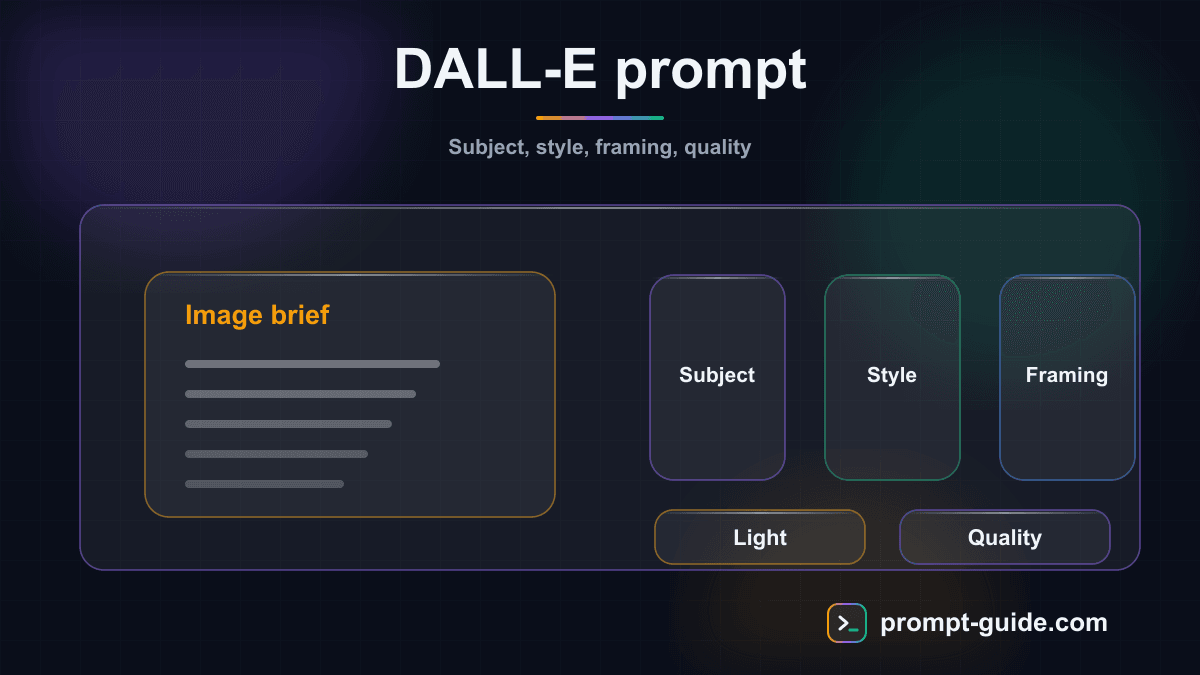
How to Write a Good DALL-E 3 Prompt: The 6-Step Method
The advantage of DALL-E 3 in ChatGPT is that you can write your prompts in natural language. ChatGPT interprets your request and creates an optimized prompt for the model. Here is a structured method for achieving the best possible results.
Step 1: Define the Main Subject
Start by clearly describing WHAT you want to see. Be specific rather than vague. Instead of 'a dog', write 'an adult golden retriever sitting in a flower garden'. The more precise your description, the more the result will match your vision.
Step 2: Specify the Visual Style
Indicate the desired artistic style: realistic photography, vector illustration, watercolor, oil painting, pencil drawing, digital art, anime style, pixel art, 3D render, etc. The style defines the overall aesthetic of the image.
Step 3: Describe the Mood and Lighting
Mood and lighting transform an ordinary image into a remarkable one. Specify: soft morning light, dramatic sunset, cyberpunk neon lighting, diffused natural light, dramatic chiaroscuro, etc.
Step 4: Add Composition Details
Guide the composition: foreground, background, camera angle (high angle, low angle, aerial view), framing (close-up, wide shot, medium shot). These details help DALL-E organize elements within the image.
Step 5: Specify Format and Quality
Request the format suited to your use: square (1024x1024) for social media, landscape (1792x1024) for presentations, portrait (1024x1792) for stories. Specify if you want HD quality for more detail.
Step 6: Iterate Through Conversation
The major advantage of DALL-E 3 in ChatGPT: you can iterate! Request modifications: 'Keep the same composition but change the colors to warm tones', 'Add more detail in the background', 'Make the image brighter'. This conversational approach is unique to DALL-E 3.
Conclusion
DALL-E 3, integrated into ChatGPT, democratizes AI image creation by making the process as simple as a conversation. Its strength lies in accessibility, natural language understanding, text handling, and conversational iteration. If you're looking for a powerful and intuitive tool to create professional visuals without technical expertise, DALL-E 3 is an excellent choice. To further develop your visual prompting skills, explore our guides on Midjourney and discover how to optimize your text prompts with our interactive exercises.
Related Prompts
Create Visual Motivational Quotes
Create original motivational quotes with complete visual briefs for inspiring visuals.
Brainstorm Logo Concepts
Generate detailed, strategic logo concepts usable by a designer to create your visual identity.
Design Visual Social Media Posts
Get complete creative briefs to design impactful visual social media posts.
Generate Responsive Web Mockups
Design detailed responsive web mockups with complete specifications for desktop, tablet, and mobile.
Suggest a color palette for branding
Create strategic color palettes for your branding with color psychology and technical specifications.
Create automated video storyboards
Generate professional and detailed video storyboards with production technical sheets and shooting schedules.
Practice Exercises
Clarity and Precision
Learn to write clear and precise prompts to get exactly what you want.
Setting Constraints
Discover how precise constraints drastically improve results.
Role Prompting
Use role assignment to get expert-level responses.
Few-shot Prompting
Teach by example: guide the AI with concrete examples.
Related guides
Continue your learning
You've finished this guide. Here's how to go further.
Practice what you learned
Interactive exercises to sharpen your prompting skills
Get new guides every week
Join our newsletter and never miss new content.