Gemini Prompts: The Complete Guide to Harnessing the Full Power of Google's AI
Current Gemini models
| Model | Released | Official guide |
|---|---|---|
| Gemini 4 Argon | October 13, 2026 | Official guide |
| Gemini 3.8 Flash | September 2, 2026 | Official guide |
| Gemini 3.5 Flash-Lite | July 21, 2026 | Official guide |
What changes in your prompts
- Specify the response format, for example a table, a bulleted list, a sentence or a paragraph, and its constraints, such as how long a summary should be.
- Put the information the task needs in the prompt, such as an excerpt from documentation, instead of assuming the model already has it.
- On Gemini 3, responses are direct and efficient by default. For a more conversational or detailed response, ask for it explicitly in the instructions.
- On Gemini 3, which generates internal thinking text, it is generally not necessary to ask for the plan or reasoning steps in the response. For problems that need heavy reasoning, a simple request to think very hard before answering can improve the result, at the cost of extra thinking tokens.
- On Gemini 3, state the goal clearly and concisely, without unnecessary or overly persuasive wording: the model responds best to direct instructions and may over-analyze verbose or elaborate prompt engineering techniques designed for older models.
In the app: model and settings
- In the Gemini app, the High thinking level suits complex, multistep requests and Low suits straightforward questions, with fast, concise answers; when switching models manually, the level stays at Low unless another one is selected. Higher thinking levels use more of the usage limit.
- In the Gemini app, the model that generated a response can be found from the More menu at the bottom of that response: on mobile, the response details show the model used; on a computer, it appears at the bottom of the thinking steps.
Checked on October 19, 2026 against the official guides
Google Gemini is Google's next-generation AI assistant, the successor to Bard, and it is redefining what AI can do. With its native multimodal capabilities (text, images, audio, video, code), deep integration with the Google ecosystem (Gmail, Docs, Sheets, Drive, Maps, YouTube), and its Ultra, Pro, and Flash models, Gemini offers a unique experience that radically sets it apart from ChatGPT and Claude. In this complete guide, you will discover how to craft optimized prompts for Gemini, leverage its exclusive strengths, and master the techniques that transform this tool into a true productivity multiplier.
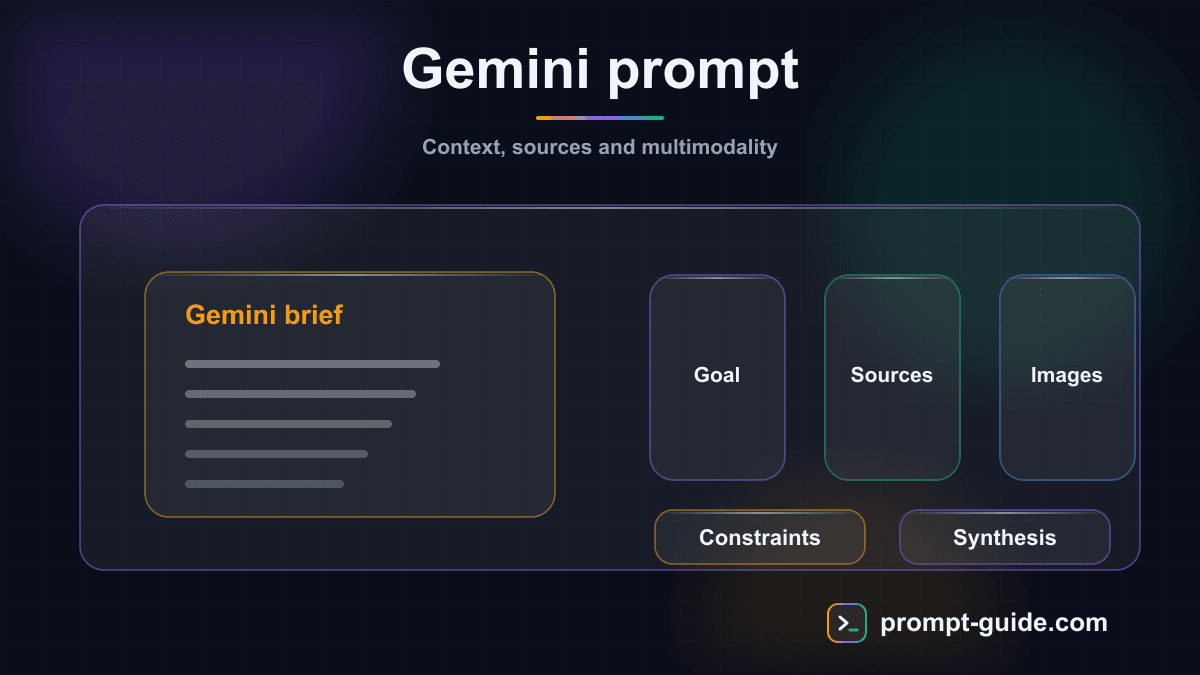
8 Best Practices for Prompting Gemini Like a Pro
Here are the proven techniques that make the difference between a casual user and a Gemini expert.
- Enable ALL Extensions in Gemini settings (Google Workspace, Flights, Hotels, Maps, YouTube). Each extension expands Gemini's capabilities and unlocks workflows that are impossible without them. Regularly check that your extensions are active.
- Send images with your text prompts whenever relevant. Gemini is natively multimodal — a picture is worth more than a lengthy description. A screenshot of a bug, a photo of a document, a product image: let Gemini see what you are talking about.
- Explicitly ask Gemini to search Google for factual information: 'Verify with Google Search,' 'Find the most recent data,' 'Cite your sources with links.' Without this instruction, Gemini might respond solely from its internal knowledge.
- Use multiple drafts to your advantage. Gemini often offers 2-3 versions of its response. Explore them all before requesting modifications — the ideal version may be in an alternative draft.
- Always specify the output format: table, numbered list, email, structured report, code. Gemini produces its best results when it knows exactly how to present the information. 'Present as a table with columns: X, Y, Z' is always more effective than 'give me the info.'
- For Google Workspace-related tasks, be specific about files and folders: 'Search in the Projects 2026 folder in my Drive,' 'Summarize emails from marketing@... this week.' The more precise the request, the better the result.
- Combine multiple capabilities in a single prompt for spectacular results: 'Analyze this image [photo], search for similar products on Google, and create a comparison table with prices and reviews.' Gemini's strength lies in combining its capabilities.
- For long conversations, periodically summarize the context: 'So far, we have defined X, Y, and Z. Now, let's move on to...' Gemini handles long conversations well, but a context reminder improves response coherence.
Ideal Use Cases for Google Gemini
Certain scenarios are perfectly suited to Gemini's unique strengths. Here are the situations where Google's AI offers a decisive advantage over the competition.
- Research and Industry Monitoring — Thanks to its real-time Google Search access, Gemini is unbeatable for competitive intelligence, industry news tracking, market research, and fact-checking. It cites its sources and provides up-to-date information, eliminating the risk of hallucination on verifiable facts.
- Google Workspace Productivity — If your company uses Google Workspace, Gemini becomes an unmatched productivity multiplier. Summarize emails, generate documents, analyze spreadsheets, create presentations — all without leaving the Google ecosystem. The integration is seamless and the results are immediately actionable.
- Image and Visual Analysis — Gemini's native multimodality makes it ideal for analyzing product photos, screenshots, charts, blueprints, and infographics. It understands visual context with a finesse superior to models where vision was added as an overlay.
- Planning and Organization — Travel, events, projects: Gemini Extensions (Flights, Hotels, Maps) enable planning with real, up-to-date data. No more juggling between 5 tabs — Gemini centralizes research, comparison, and planning.
- Education and Learning — Gemini excels as a tutor: it can analyze images of math problems, explain concepts with up-to-date research, create personalized quizzes, and adapt its level to the learner. Google Search access allows it to provide enriched explanations with current sources and examples.
- E-commerce and Digital Marketing — Real-time trend analysis, competitive monitoring, SEO-optimized content creation with current data, competitor product image analysis, keyword research — Gemini combines creation and research for a complete marketing workflow.
Optimized Prompt Examples for Google Gemini
Here are prompts specifically designed to leverage Gemini's unique strengths. Each example takes advantage of one or more specific features of Google's AI.
- Image Analysis + Search — Prompt: 'Here is a photo of this monument [image]. Identify it, give me its history in 200 words, current opening hours, admission price, and the best nearby restaurants. Use Google Search for up-to-date practical information.' — This prompt combines Gemini's vision with real-time Google Search, something impossible with standard Claude or ChatGPT.
- Google Workspace Productivity — Prompt: 'Search my Gmail for emails from [client] in the last 30 days. Summarize the key points from each exchange. Then create a summary draft in Google Docs with: 1) Exchange history, 2) Decisions made, 3) Outstanding items, 4) Next steps.' — This prompt leverages Workspace integration to automate a client follow-up workflow.
- Complete Travel Planning — Prompt: 'Plan a 5-day trip to Lisbon for 2 people in April. Total budget: 1,500 EUR. Use Google Flights to find the best flights from Paris, Google Hotels for accommodation in the Alfama neighborhood, and Google Maps for a day-by-day itinerary including must-see attractions and local spots. Present everything as a detailed schedule with budget by category.' — The Extensions integration makes this type of planning extremely efficient.
- Visual Document Analysis — Prompt: 'Here is a screenshot of my analytics dashboard [image]. Analyze the visible metrics, identify: 1) KPIs showing growth and decline, 2) Anomalies or unusual trends, 3) Possible correlations between metrics, 4) 3 actionable recommendations based on this data. Present your analysis in a structured format with bullet points.' — Gemini's native multimodality makes this analysis smooth and accurate.
- Real-Time Competitive Intelligence — Prompt: 'Conduct competitive intelligence on [industry/company] using the most recent information. Search for: 1) Latest news and press releases, 2) New products or services launched, 3) Recent customer reviews, 4) Strategic moves (fundraising, acquisitions, partnerships), 5) Industry trends. Cite all your sources with links. Present as a structured intelligence report.' — Real-time Google Search access makes Gemini the ideal tool for monitoring.
- Multimedia Content Creation — Prompt: 'I am launching a marketing campaign for [product]. Create a complete social media content plan for 2 weeks: 1) 5 LinkedIn posts with text and image suggestions, 2) 10 tweets/X posts with relevant hashtags, 3) 3 Reels/TikTok scripts of 30 seconds, 4) 2 email newsletters. Adapt the tone and format to each platform. Use current industry trends.' — Gemini combines content creation with real-time trend research.
- Translation and Localization with Cultural Context — Prompt: 'Translate this marketing text from English to French, Spanish, and German [paste the text]. For each translation: adapt cultural references to the local market, adjust idiomatic expressions, verify that the tone remains impactful for marketing. Flag elements that require specific localization (units, currencies, references). Present in a comparison table.' — Gemini integrates search to validate cultural nuances.
Gemini vs ChatGPT vs Claude: When to Use Gemini?
Each AI assistant has its strengths. Here is an honest comparison to help you choose the right tool for each task, and know when Gemini is the best choice.
- Gemini Excels At... — Real-time research and monitoring (native Google Search access). Complex multimodal tasks (image + text + search). Integration with the Google Workspace ecosystem (Gmail, Docs, Sheets, Slides). Travel, event, and logistics planning (via Extensions). Fact-checking and cited sources. Image analysis with integrated Google Lens. Tasks requiring up-to-date data.
- ChatGPT Excels At... — Image generation with DALL-E 3. Python code execution with Code Interpreter. Custom GPTs and plugin ecosystem. Fluent, natural conversations on general topics. Advanced voice mode with natural speech recognition. Larger community and learning resources.
- Claude Excels At... — Very long document analysis (200K tokens of context). Nuanced, professional writing. Precise adherence to complex, detailed instructions. Creating interactive Artifacts (code, documents, visualizations). Projects with persistent context between conversations. Honesty and acknowledgment of its limitations.
- The Winning Trio: Using All 3 — The most productive professionals use all three tools in a complementary way. Gemini for research, monitoring, and Google-connected tasks. ChatGPT for image generation and code execution. Claude for deep analysis and quality writing. Start your research on Gemini, deepen the analysis on Claude, and create visuals on ChatGPT.
Gemini's Limitations to Be Aware Of
Despite its impressive strengths, Gemini has limitations that are important to know in order to use it optimally.
- Image generation still limited: although Gemini can generate images with Imagen, the results are not yet at the level of DALL-E 3 or Midjourney for artistic creation. Human face generation is restricted by Google's policies.
- No native code execution: unlike ChatGPT with Code Interpreter, Gemini cannot execute Python code. It can write code and explain it, but cannot run it to produce results (charts, complex calculations).
- Extensions sometimes unstable: Google Extensions (Flights, Hotels, Workspace) generally work well but can occasionally fail or give incomplete results. If they fail, rephrase your request or try again.
- Shorter conversation context: Gemini's context window is smaller than Claude's (200K tokens). For very long documents, Claude remains the better choice. Gemini can lose track in very long conversations.
- Variable geographic availability: some Gemini features (Extensions, advanced functions) are not available in all countries or all languages. Check availability in your region.
- Dependency on the Google ecosystem: Gemini's greatest assets (Workspace integration, Extensions) are tied to the Google ecosystem. If you use Microsoft 365 or other tools, these advantages do not apply.
How to Optimize Your Prompts for Gemini: 6 Key Techniques
Gemini has its own preferences when it comes to prompts. Here are the specific techniques that maximize the quality of its responses, based on Google's official documentation and extensive testing.
Leverage Multimodality
Gemini's greatest advantage is its ability to process multiple media types simultaneously. Do not limit yourself to text: send images, screenshots, charts, and document photos. For example: 'Here is a photo of my living room [image]. Suggest 3 decoration ideas in a Scandinavian style with a budget of 500 EUR.' or 'Analyze this sales chart [image] and identify trends and anomalies.'
Use Google Extensions
Enable Extensions in Gemini settings to unlock exclusive capabilities. Ask directly: 'Search my Drive for the Q3 report and summarize it,' 'Find me a Paris-Barcelona flight this weekend under 150 EUR on Google Flights,' or 'Summarize my unread emails this week in Gmail.' Extensions transform Gemini from a chatbot into a true personal assistant connected to your digital life.
Be Precise About Format and Context
Gemini responds better when you clearly specify what you want. Indicate the format (list, table, paragraph, email), desired length, tone (professional, casual, educational), and target audience. For example: 'Write a professional email of 200 words maximum, courteous but direct tone, to follow up with a B2B client who has not responded in 2 weeks.'
Request Factual Verification
Thanks to its Google Search access, Gemini can verify its claims in real time. Do not hesitate to ask: 'Verify this information with a Google search,' 'Cite your sources,' or 'What are the most recent data on this topic?' This capability makes Gemini the best choice for research, monitoring, and fact-checking tasks.
Iterate with Drafts
Gemini often offers multiple response drafts (accessible via the arrows at the top of the response). Use this feature to compare different approaches and select the best one. You can then refine with additional instructions: 'Take draft 2 but with a more formal tone and add numerical examples.'
Combine Text and Structured Data
Gemini excels when you provide structured data (tables, lists, CSV) alongside your instructions. Paste a data table and ask: 'From these sales figures, identify the 3 most profitable products, calculate the average margin, and propose a catalog optimization strategy.' The combination of data + clear instructions yields the best results.
Google Gemini: Overview of Google's Multimodal AI
Gemini is Google's most ambitious AI model, launched in late 2023 and constantly improved since. Designed from the ground up as a native multimodal model, Gemini can process and generate text, analyze images, understand audio and video, and write code — all within a single conversation. It is accessible for free at gemini.google.com or via the mobile app, and in an advanced version through the Google One AI Premium subscription (21.99 EUR/month).
- Gemini Ultra (The Most Powerful) — Google's most advanced model, available with Google One AI Premium. High-level reasoning, superior multimodal understanding, capable of handling extremely complex tasks. Top performance on academic benchmarks (MMLU, HumanEval, MATH). Ideal for complex analyses, in-depth research, and ambitious professional projects.
- Gemini Pro (Versatile) — The default model for the majority of users. Excellent balance between performance and speed. Handles most daily tasks with distinction: writing, analysis, brainstorming, code, translation. Available for free with usage limits. The optimal choice for 90% of use cases.
- Gemini Flash (Ultra-Fast) — The fastest model in the lineup, optimized for instant responses and high-volume tasks. Minimal latency, ideal for chatbots, automation, and real-time applications. Unbeatable quality-to-cost ratio for simple, repetitive tasks via the API.
- Google One AI Premium (21.99 EUR/month) — The premium subscription provides access to Gemini Ultra, Gemini in Google Workspace (Gmail, Docs, Sheets, Slides, Meet), 2 TB of Google One storage, and early access to advanced features. Essential for professionals who want to leverage Gemini across the entire Google ecosystem.
Gemini's Unique Features: What Sets It Apart
Gemini possesses exclusive characteristics that directly influence how you should craft your prompts. Understanding these strengths allows you to achieve results that are impossible with other AI assistants.
- Native Multimodality — Gemini is designed from the ground up to simultaneously process text, images, audio, and video. You can send a photo of a dish and ask for the recipe, show a chart and get an analysis, or submit a PDF document and ask questions about it. This native multimodality means Gemini understands visual context better than AIs where vision was added after the fact.
- Google Ecosystem Integration — Gemini's superpower: its direct integration with Gmail, Google Docs, Sheets, Slides, Drive, Maps, YouTube, and Google Search. Ask Gemini to summarize your last 10 emails, generate a Sheets table from raw data, or create a Slides presentation from a Drive document. No other AI assistant can interact as deeply with your daily productivity tools.
- Real-Time Google Search Access — Unlike Claude, which has no internet access, Gemini can perform real-time Google searches to verify information, find up-to-date data, and cite its sources. This makes it ideal for current events questions, industry monitoring, fact-checking, and any task requiring up-to-date information.
- Integrated Google Lens — Gemini integrates Google Lens, enabling advanced visual analysis: object identification, text translation on images, plant and animal recognition, and similar product searches. Take a photo and Gemini can analyze, describe, explain, or help you act on it.
- Extensions and Connections — Gemini Extensions allow you to connect the AI to your services: Google Flights for travel, Google Hotels for accommodation, Google Maps for navigation, YouTube for videos, and Google Workspace for productivity. You can ask 'Find me a Paris-Tokyo flight in March under 500 EUR' and get real, actionable results.
Conclusion
Google Gemini has established itself as an essential AI assistant thanks to its native multimodality, deep integration with the Google ecosystem, and real-time web search access. For Google Workspace users, it is simply the most productive tool on the market. By applying the prompting techniques in this guide — combining text and images, leveraging Extensions, requesting factual verification — you will transform Gemini into a true personal assistant connected to your entire digital life. Remember: Gemini's strength lies in combining its capabilities. Do not limit yourself to text — explore, experiment, and combine for spectacular results.
Related Prompts
Write High Click-Through Rate Google Ads
This prompt generates a complete set of responsive Google Ads (15 headlines + 4 descriptions + extensions) optimized to maximize CTR and Quality Score.
Write a Complete SEO Blog Article
Creates a complete, structured blog article optimized for search engines with all necessary tags and sections.
Configure ESLint and Prettier for a Project
Configure ESLint and Prettier from scratch with pre-commit hooks, IDE integration, and CI for standardizing your team's code.
Create a Python Automation Script
Create a professional Python automation script with CLI configuration, structured logging, error handling, and tests.
Create a CLI Tool with Node.js
Create a professional Node.js CLI tool with Commander.js, Inquirer, visual feedback, and npm publishing.
Define a Git Strategy for a Team
Define a complete Git strategy adapted to your team: branching model, conventions, code review, and release management.
Practice Exercises
Clarity and Precision
Learn to write clear and precise prompts to get exactly what you want.
Providing Context
Master the art of giving the right context to AI for relevant results.
Defining Output Format
Learn to specify the exact format of the expected response.
Role Prompting
Use role assignment to get expert-level responses.
Few-shot Prompting
Teach by example: guide the AI with concrete examples.
Related guides
Continue your learning
You've finished this guide. Here's how to go further.
Practice what you learned
Interactive exercises to sharpen your prompting skills
Get new guides every week
Join our newsletter and never miss new content.