Midjourney Prompts: The Complete Guide to Creating Stunning AI Images
Midjourney is the most popular and acclaimed AI image generation tool, known for the artistic quality of its creations. Whether you're a designer, marketer, artist, or simply curious, mastering the art of Midjourney prompts opens up a limitless creative universe. Unlike text-based chatbots, writing a good Midjourney prompt requires a specific approach: it's a visual language where every word, every parameter, and every descriptive detail directly influences the result. In this complete guide, you'll discover Midjourney's syntax, its advanced parameters, over 15 concrete examples with detailed descriptions, and all the techniques to generate professional images.
10 Best Practices for Successful Midjourney Prompts
6 Ideal Use Cases for Midjourney
- Design and Branding — Create visual concepts, moodboards, conceptual logos, brand illustrations, and marketing visuals. Midjourney excels in the ideation phase and in creating unique visual assets that set your brand apart.
- Illustration and Publishing — Generate book covers, editorial illustrations, blog post visuals, banner images, and infographics. Midjourney's artistic quality makes it an ideal tool for publishing.
- Concept Art and Video Games — Create character concepts, environments, creatures, weapons, and vehicles for video game development. The Midjourney + Photoshop retouching workflow has become standard in the industry.
- Architecture and Interior Design — Visualize architectural concepts, interior layouts, building facades, and landscaped spaces. Midjourney understands architectural vocabulary and produces convincing renders.
- Fashion and Textiles — Design clothing collections, textile patterns (with --tile), lookbooks, and fashion visuals. Designers use Midjourney to accelerate the design phase and present concepts to clients.
- Social Media and Marketing — Produce unique visual content for Instagram, Pinterest, TikTok, and your advertising campaigns. Original and impactful visuals at a fraction of the cost of a professional photoshoot.
Essential Midjourney Commands
Beyond prompts, Midjourney offers slash commands (/) in Discord and buttons under each generation that help you refine and optimize your creations.
- /imagine — The main command for generating images. Type /imagine prompt: followed by your description. This is the foundation of all Midjourney creation. From the website, you enter your prompt directly in the input bar.
- /describe — Upload an image and Midjourney generates 4 text prompts that would describe that image. Extremely useful for analyzing existing images and learning Midjourney's visual vocabulary. An invaluable educational tool.
- /blend — Merge 2 to 5 images together to create a hybrid result. Perfect for combining styles, elements, or visual concepts. No text prompt needed—the images speak for themselves.
- /shorten — Analyze a long prompt and identify the most important keywords. Midjourney shows you which terms have the most impact and which are ignored. Useful for optimizing overly long prompts.
- U1-U4 Buttons (Upscale) — After generating 4 images, click U1 to U4 to enlarge the chosen image to high resolution. On recent versions, upscaling can double the resolution while adding details.
- V1-V4 Buttons (Variation) — Create variations of a specific image while keeping the same style and composition. Subtle or strong depending on the chosen variation mode. Ideal for exploring alternatives without starting from scratch.
Midjourney vs DALL-E vs Stable Diffusion: Comparison
The AI image generation market is dominated by three major players. Each has its strengths and preferred use cases.
- Midjourney — Strengths: exceptional artistic quality, aesthetic consistency, active community, ideal for art, design, and visual creation. Weaknesses: no official public API, higher price, access via Discord (or website), less precise control over composition. Best for: illustrations, concept art, branding, digital art.
- DALL-E 3 (OpenAI/ChatGPT) — Strengths: integration with ChatGPT, excellent natural language understanding, good for text in images, easy to access. Weaknesses: sometimes generic style, less artistic control, stricter content restrictions. Best for: images with text, editorial illustrations, quick daily use.
- Stable Diffusion — Strengths: open source and free, total control (ControlNet, LoRA, inpainting), can run locally, community of specialized models. Weaknesses: steep learning curve, requires a good graphics card, variable quality depending on the model. Best for: technical use, advanced customization, mass generation, open source projects.
- Which One to Choose? — Midjourney for artistic quality and design. DALL-E 3 for ease of access and ChatGPT integration. Stable Diffusion for total control and free/local use. Many professionals use all three depending on the project.
15+ Midjourney Prompt Examples with Detailed Descriptions
Here is a collection of Midjourney prompt examples organized by category. For each prompt, we describe the expected result so you can understand how each element of the prompt influences the final image.
- Cinematic Portrait — Prompt: 'portrait of a young woman with freckles, golden hour sunlight, shallow depth of field, cinematic color grading, Kodak Portra 800 film grain --ar 2:3 --v 6.1 --s 150'. Expected result: a close-up portrait with warm golden lighting, pronounced background blur, warm cinematic colors, and subtle analog film grain. The Kodak Portra effect produces natural and warm skin tones.
- Fantasy Landscape — Prompt: 'epic fantasy landscape, floating islands in the sky connected by ancient stone bridges, waterfalls cascading into clouds, bioluminescent plants, volumetric god rays, matte painting style --ar 16:9 --v 6.1 --s 250'. Expected result: a panoramic fairy-tale landscape with floating islands, waterfalls falling into clouds, luminescent vegetation, and divine light rays cutting through the scene.
- Product Design — Prompt: 'sleek modern wireless headphones, matte black finish, floating on white background, product photography, studio lighting, soft shadows, minimalist, 8K --ar 1:1 --v 6.1 --s 50'. Expected result: a professional product photo with matte black headphones floating on a white background, clean studio lighting with soft shadows. The --s 50 ensures a result faithful to the description.
- Anime/Manga Style — Prompt: 'anime girl with cherry blossom petals falling, Japanese shrine in background, soft pink and white palette, detailed eyes, wind blowing hair, sakura season --niji 6 --ar 2:3 --s 200'. Expected result: a detailed anime illustration with cherry blossom petals, a Japanese shrine, and a soft pink palette. The --niji 6 model is specialized for anime style.
- Futuristic Architecture — Prompt: 'futuristic eco-friendly skyscraper covered in vertical gardens and solar panels, parametric architecture, glass and steel, drone shot, blue sky, award-winning architectural visualization --ar 9:16 --v 6.1 --s 100'. Expected result: a futuristic eco-friendly skyscraper seen from above, covered in vegetation and solar panels, with parametric glass and steel architecture.
- Macro Nature — Prompt: 'macro photography of morning dew drops on a spider web, rainbow light refraction, bokeh background of green garden, extreme close-up, crystal clear sharpness --ar 3:2 --v 6.1 --s 75'. Expected result: an ultra-detailed macro photo of dew drops on a spider web with rainbow refractions and a lush green bokeh background.
- Children's Book Illustration — Prompt: 'cute baby dragon learning to fly, children book illustration, watercolor style, soft pastel colors, whimsical, adorable expression, puffy clouds, meadow with wildflowers --ar 4:3 --v 6.1 --s 200 --no scary, dark'. Expected result: a children's book illustration featuring an adorable baby dragon, soft watercolor, pastel colors, with a magical and joyful atmosphere.
- Logo and Branding — Prompt: 'minimalist geometric logo design for a coffee brand, single color, clean lines, scalable vector style, professional, modern, flat design --ar 1:1 --v 6.1 --s 25 --no text, photorealistic'. Expected result: a minimalist geometric logo for a coffee brand, in a single flat color with clean lines. The --s 25 keeps the result very faithful to the prompt.
- Cyberpunk Scene — Prompt: 'cyberpunk street market at night, neon signs in Japanese, rain reflections on wet pavement, holographic advertisements, street food vendors, dense crowd, Blade Runner atmosphere --ar 16:9 --v 6.1 --s 300 --c 25'. Expected result: a nighttime cyberpunk street market with Japanese neon signs, rain reflections, holographic advertisements, and a dense Blade Runner atmosphere.
- Food Photography — Prompt: 'artisan sourdough bread freshly baked, steam rising, rustic wooden cutting board, warm kitchen background, morning light through window, food photography, depth of field --ar 4:5 --v 6.1 --s 100'. Expected result: an appetizing food photo of steaming artisan sourdough bread on a rustic cutting board, with warm morning light.
- Renaissance Portrait — Prompt: 'Renaissance oil painting portrait of a modern CEO in business suit, dramatic chiaroscuro lighting, Rembrandt style, gold ornate frame visible, dark background, 17th century Dutch master technique --ar 3:4 --v 6.1 --s 350'. Expected result: a Renaissance-style oil portrait of a modern executive, with dramatic Rembrandt-style chiaroscuro lighting and a visible gold frame.
- Textile Pattern — Prompt: 'seamless pattern of tropical leaves and exotic flowers, botanical illustration style, vintage color palette, detailed hand-drawn look, fabric textile design --tile --ar 1:1 --v 6.1 --s 150'. Expected result: a seamless repeatable pattern of tropical leaves and exotic flowers, in a vintage botanical illustration style. The --tile parameter ensures perfect repeatability.
- Video Game Concept Art — Prompt: 'concept art of an ancient guardian golem made of moss-covered stone, glowing runes on body, standing in a misty forest clearing, fantasy RPG style, detailed environment, artstation trending --ar 16:9 --v 6.1 --s 200'. Expected result: concept art of a stone guardian golem covered in moss with glowing runes, in a misty clearing, fantasy RPG style.
- Fashion Photography — Prompt: 'high fashion editorial photo, model in avant-garde geometric dress, stark white studio, dramatic single light source, strong shadows, Vogue magazine style, monochromatic --ar 2:3 --v 6.1 --s 175'. Expected result: a high fashion editorial photo with an avant-garde geometric dress, clean white studio, dramatic single-source lighting, and bold shadows.
- Isometric Scene — Prompt: 'isometric view of a cozy coffee shop interior, warm lighting, tiny detailed furniture, miniature people, cross-section cutaway, 3D render style, soft colors, tilt-shift effect --ar 1:1 --v 6.1 --s 125'. Expected result: a detailed isometric cutaway view of a cozy coffee shop, with miniature furniture and people, 3D rendered in soft colors.
- Retro Poster — Prompt: 'vintage travel poster of Paris, Eiffel Tower, Art Deco style, bold geometric shapes, limited color palette of navy blue and gold, retro typography feel, 1920s aesthetic --ar 2:3 --v 6.1 --s 250 --no photorealistic'. Expected result: a vintage Paris travel poster in Art Deco style, bold geometric shapes, navy blue and gold palette, with a 1920s aesthetic.
Limitations and Precautions with Midjourney
- Usage Rights and License — With a paid subscription, you have commercial rights to your images. The free subscription (when available) does not grant commercial rights. Note: AI-generated images are not protected by copyright in most jurisdictions.
- Text and Typography — Despite improvements in v6, Midjourney still has difficulties with text embedded in images. For images with precise text, it is often better to add typography in post-production with Photoshop or Canva.
- Hands and Anatomy — While considerably improved in v6.1, generating hands and complex anatomy can sometimes produce incorrect results. Always check anatomical details, especially for close-up portraits and complex poses.
- Character Consistency — Maintaining the same character across multiple images remains a challenge. Use --seed and very detailed character descriptions to maximize consistency. The --cref (character reference) feature helps considerably.
- Content Restrictions — Midjourney has strict policies against violent, sexual, or misleading content. Certain keywords are blocked. Deepfakes and impersonation of real people are prohibited. Follow the terms of use.
- GPU Consumption and Cost — Each generation consumes GPU time from your subscription. Complex prompts with high parameters (--q 1, --s 500) consume more. Use Relax mode for explorations and save Fast mode for final generations.
Essential Midjourney Parameters
Midjourney parameters are special commands added at the end of your prompt with the '--' prefix. They control technical aspects of generation that descriptive text alone cannot handle. Mastering these parameters is what separates a beginner from an advanced user.
- --ar (Aspect Ratio) — Sets the image format. --ar 1:1 (square, ideal for avatars and logos), --ar 16:9 (cinematic landscape, wallpapers), --ar 9:16 (portrait, Instagram stories, TikTok), --ar 3:2 (classic photo), --ar 2:3 (vertical portrait), --ar 21:9 (ultra-wide, banner). By default, Midjourney generates in 1:1.
- --v (Model Version) — --v 6.1 is the latest and recommended version. It offers the best realism, prompt comprehension, and highest consistency. --v 6 offers similar results. --v 5.2 can be useful for certain specific styles. --niji 6 is the specialized version for anime/manga style.
- --stylize or --s (Stylization) — Controls Midjourney's level of artistic interpretation. --s 0 sticks as closely as possible to your prompt (literal result). --s 100 (default) good balance. --s 250 moderate artistic interpretation. --s 500-1000 strong stylization, Midjourney takes creative liberties. Useful for exploring unexpected variations.
- --chaos or --c (Variety) — --c 0 (default) gives predictable and consistent results. --c 25-50 introduces variety between the 4 generated images. --c 75-100 very different results from each other, ideal for exploration. Combine with --stylize to maximize creative diversity.
- --no (Negative Prompt) — Excludes elements from the image. --no text (no text on the image), --no people (no people), --no watermark (no watermark), --no background (neutral background). You can combine: --no text, watermark, frame. Very useful for refining results.
- --quality or --q (Quality) — --q 0.25 (fast, draft), --q 0.5 (balanced), --q 1 (default, standard quality). Lower values consume less GPU and are useful for quick iterations. Quality does not affect resolution but the level of detail.
- --seed (Reproducibility) — Each image has a unique seed. By specifying --seed 12345, you get reproducible results. Useful for creating consistent variations: keep the same seed and modify a single element of the prompt to compare effects.
- --tile (Seamless Pattern) — Generates an image that can repeat seamlessly. Ideal for creating wallpapers, textures, wall coverings, textile patterns, or website backgrounds.
Midjourney: Overview of the AI Image Generation Tool
Midjourney is an independent research laboratory founded by David Holz (co-founder of Leap Motion) that created one of the most advanced AI image generation models in the world. Accessible via Discord or the midjourney.com website, Midjourney transforms your text descriptions (prompts) into images of often stunning quality. From version 1 in 2022 to the current version 6.1, Midjourney has continuously improved in realism, prompt comprehension, and artistic versatility.
- Basic Plan ($10/month) — Approximately 200 image generations per month (3.3h of fast GPU). Sufficient for discovering Midjourney and experimenting. Access to all basic features, fast and relax mode generations. Ideal for individuals and curious users.
- Standard Plan ($30/month) — 15h of fast GPU and unlimited generations in Relax mode (slower). The most popular choice for regular use. Access to Stealth mode to keep your creations private. Perfect for creatives and freelancers.
- Pro Plan ($60/month) — 30h of fast GPU, unlimited Relax, and Stealth mode included. Faster and prioritized generations. 12 simultaneous fast jobs. Recommended for professionals, agencies, and intensive use.
- Mega Plan ($120/month) — 60h of fast GPU, unlimited Relax, Stealth included, and 12 simultaneous fast jobs. For studios, teams, and users who generate a very high volume of images daily.
Most Popular Artistic Styles on Midjourney
One of Midjourney's superpowers is its ability to reproduce and blend artistic styles. Here are the most popular styles and the keywords to use to activate them.
- Photorealism — Keywords: 'photorealistic', 'hyperrealistic', 'photography', 'DSLR', '85mm lens', 'f/1.4', 'RAW photo'. Add camera references (Canon EOS R5, Sony A7III) and film stocks (Kodak Portra, Fuji Superia) for an even more realistic look. Combine with --s 25-75 to stay faithful to the prompt.
- Digital Painting — Keywords: 'digital painting', 'digital art', 'concept art', 'artstation', 'deviantart'. For a more artistic rendering: 'brush strokes visible', 'impasto technique', 'palette knife'. Combine with --s 150-300 for a freer interpretation.
- Watercolor — Keywords: 'watercolor painting', 'watercolor illustration', 'wet on wet technique', 'soft edges', 'paper texture visible'. Watercolor works well for landscapes, soft portraits, and book illustrations. Add 'splatter' or 'dripping' for a more dynamic effect.
- Anime and Manga — Use the --niji 6 model specialized for anime. Complementary keywords: 'anime style', 'manga', 'cel shading', 'Studio Ghibli', 'Makoto Shinkai', 'Kyoto Animation'. For a more realistic style: 'semi-realistic anime'. For a chibi style: 'chibi, cute, kawaii'.
- Art Deco and Retro — Keywords: 'Art Deco', 'Art Nouveau', 'vintage poster', '1920s aesthetic', 'retro futurism', 'Bauhaus', 'mid-century modern'. Combine with limited palettes: 'limited color palette', 'two-tone', 'duotone'. Ideal for posters, logos, and branding.
- Pixel Art and Retro Games — Keywords: 'pixel art', '16-bit', '8-bit', 'retro game sprite', 'SNES style', 'Game Boy aesthetic'. Add details: 'dithering', 'limited palette', 'CRT screen effect'. Works best with --s 50-100 to keep the pixel style precise.
- 3D and Rendering — Keywords: '3D render', 'Octane Render', 'Unreal Engine 5', 'Cinema 4D', 'Blender', 'ray tracing', 'global illumination', 'subsurface scattering'. For a more stylized look: 'clay render', 'low poly', 'isometric 3D'.
- Surreal Photography — Keywords: 'surreal photography', 'dreamlike', 'impossible architecture', 'forced perspective', 'double exposure', 'levitation', 'Rene Magritte style', 'Salvador Dali inspired'. Combine photographic realism with impossible elements for striking results.
Midjourney Prompt Syntax: Structure and Components
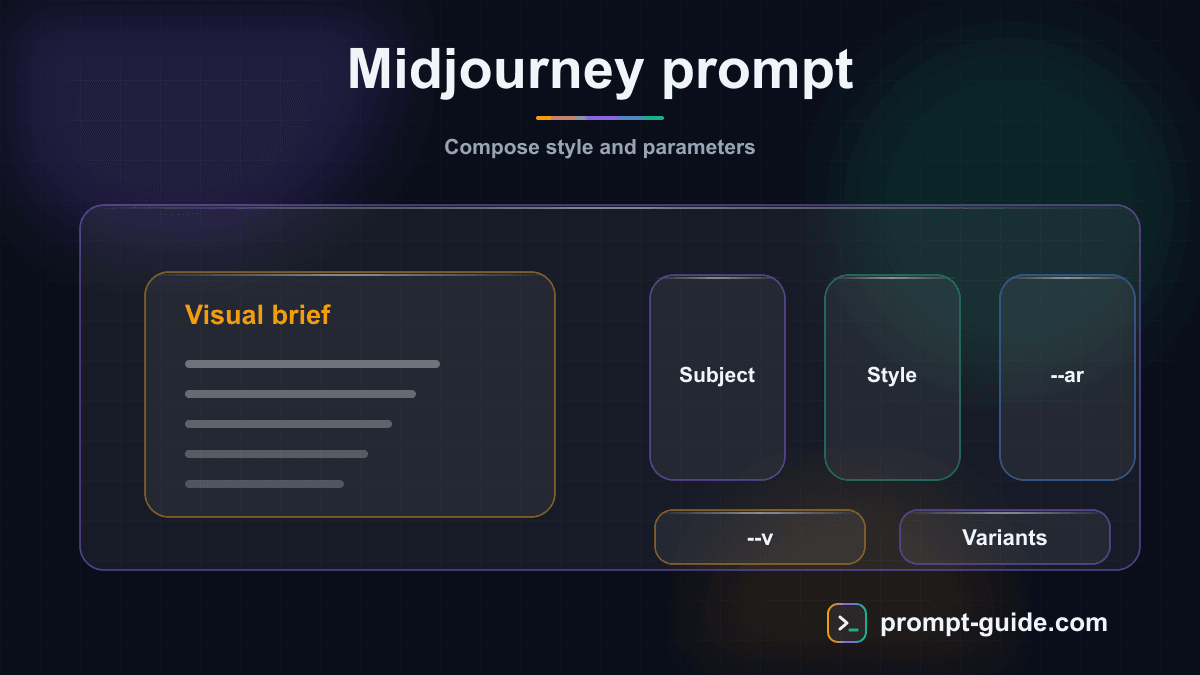
A Midjourney prompt consists of three main parts: the subject (what you want to see), descriptive details (style, mood, lighting, colors), and technical parameters (prefixed with --). Unlike ChatGPT or Claude, Midjourney works better with keywords and visual descriptions rather than long sentences. Each word carries weight in the generation, and the order of terms influences the final result.
The Main Subject
Always start by describing the main subject of your image. Be specific: instead of 'a cat', write 'a white Persian cat with blue eyes'. The more precise the description, the more the result will match your vision. Examples: 'a futuristic cityscape', 'a medieval knight in armor', 'a Japanese zen garden in autumn'.
Style and Mood
Add artistic style and mood keywords. Midjourney understands hundreds of references: 'oil painting', 'watercolor', 'digital art', 'cinematic lighting', 'dramatic shadows', 'soft pastel colors', 'moody atmosphere'. You can also reference artists: 'in the style of Studio Ghibli', 'inspired by Art Nouveau'.
Technical Details
Specify technical aspects: lighting ('golden hour lighting', 'neon lights', 'soft diffused light'), camera angle ('bird's eye view', 'low angle shot', 'close-up portrait'), quality ('highly detailed', '8K resolution', 'photorealistic', 'hyperrealistic'). These details significantly refine the result.
Parameters (--)
End your prompt with Midjourney parameters: --ar (ratio), --v (version), --style (style preset), --stylize (stylization level), --chaos (variety), --quality (quality), --no (exclusions). These technical parameters control the format, style, and behavior of the generation.
Conclusion
Midjourney is much more than a simple image generator: it's a visual creation tool that democratizes professional design and opens up infinite creative possibilities. The key to success with Midjourney lies in practice: the more you experiment with prompts, parameters, and styles, the more you develop an intuition for getting exactly the image you have in mind. Start with the examples in this guide, adapt them to your needs, and progressively build your own prompt library. Remember that Midjourney is constantly evolving—each new version brings better capabilities and new possibilities. Explore, experiment, and let your creativity flow without limits.
Related Prompts
Generate Responsive Web Mockups
Design detailed responsive web mockups with complete specifications for desktop, tablet, and mobile.
Design Visual Social Media Posts
Get complete creative briefs to design impactful visual social media posts.
Suggest a color palette for branding
Create strategic color palettes for your branding with color psychology and technical specifications.
Brainstorm Logo Concepts
Generate detailed, strategic logo concepts usable by a designer to create your visual identity.
Create automated video storyboards
Generate professional and detailed video storyboards with production technical sheets and shooting schedules.
Create Visual Motivational Quotes
Create original motivational quotes with complete visual briefs for inspiring visuals.
Practice Exercises
Clarity and Precision
Learn to write clear and precise prompts to get exactly what you want.
Setting Constraints
Discover how precise constraints drastically improve results.
Role Prompting
Use role assignment to get expert-level responses.
Few-shot Prompting
Teach by example: guide the AI with concrete examples.
Related guides
Continue your learning
You've finished this guide. Here's how to go further.
Practice what you learned
Interactive exercises to sharpen your prompting skills
Get new guides every week
Join our newsletter and never miss new content.