The Complete Prompting Guide for Beginners
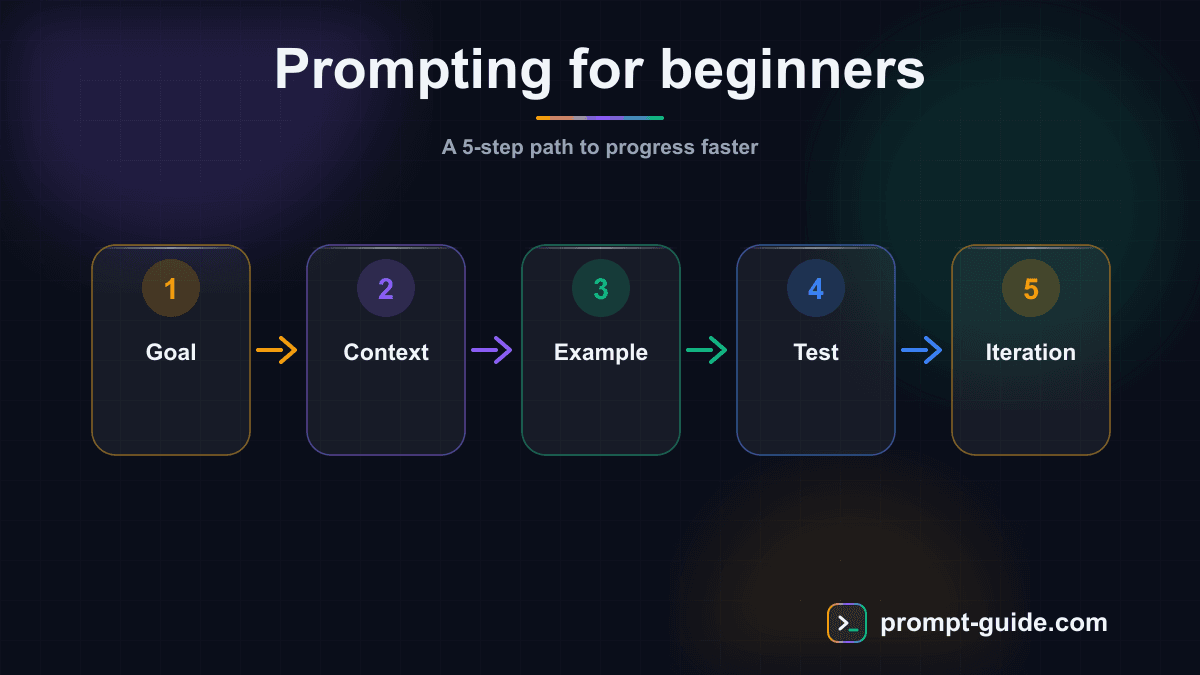
What is a Prompt?
A prompt is an instruction you give to an artificial intelligence to get a response. It's the text you type into ChatGPT, Claude, Gemini, or any other AI assistant. The quality of your prompt directly determines the quality of the response you receive.
Think of it like talking to an incredibly knowledgeable assistant who takes everything literally. If you simply say "write me some text," it won't know which topic to cover, what tone to use, or how long the piece should be. But if you specify the context, expected format, and objective, it will produce exactly what you need.
Prompting — the art of writing effective prompts — has become a key skill in the professional world. Whether you're a marketer, developer, teacher, manager, or entrepreneur, knowing how to communicate with AI will save you hours every week.
Did you know? According to a McKinsey study (2025), professionals who master prompting are on average 40% more productive in creative and analytical tasks compared to those who use AI in basic ways.
The Anatomy of a Great Prompt
An effective prompt consists of four fundamental elements. You don't always need all four, but the more you combine them, the better your results will be.
1. The Role
Assigning a role to the AI immediately frames the expertise level and tone of the response. It's like hiring a specialist rather than asking a random person on the street.
- "You are an experienced SEO copywriter with 10 years of experience"
- "You are a math teacher explaining concepts to 9th graders"
- "You are a marketing strategy consultant for B2B SaaS startups"
2. The Context
Context provides the AI with the information it needs to understand your specific situation. Without context, the AI gives generic responses. With good context, it personalizes everything.
- Who you are: your job, skill level, company
- Who it's for: your target audience, their needs, their knowledge level
- The situation: current project, constraints, objectives
- What's been done: previous attempts, results achieved
- Constraints: budget, deadline, format, tone, length
3. The Instruction
The instruction is the core of your prompt. It's what you're concretely asking the AI to do. It must be clear, specific, and actionable.
- Bad: "Tell me about marketing" — too vague
- Good: "Write a 5-point marketing strategy for launching a meditation mobile app targeting stressed executives aged 30-45 in France" — precise and actionable
4. The Output Format
Specifying the expected format avoids nasty surprises and saves you precious reformatting time. Common formats include bullet lists, tables, structured paragraphs, code, JSON/CSV, and Markdown.
Your First Prompt Examples
Let's move to practice with concrete examples you can test immediately.
Example 1: Writing a Professional Email
You are a business communication consultant. I am a project manager at a web agency. My client (marketing director at a 50-person e-commerce SMB) is waiting for an update on their website redesign project, which is 2 weeks behind schedule. Write a professional, reassuring but honest email that explains the delay (technical issue with payment integration), proposes a new timeline, and highlights the additional improvements integrated during this time. Tone: professional yet warm. Length: 200-250 words.
Example 2: Analyzing Data
You are a senior data analyst. I have quarterly sales data (Q1: €45K, Q2: €52K, Q3: €38K, Q4: €67K) for my organic cosmetics online store. Analyze this data and provide: 1) identified trends, 2) hypotheses explaining the Q3 drop, 3) three concrete recommendations to stabilize sales. Present everything in a structured format with headings.
Common Beginner Mistakes to Avoid
Mistake 1: Being Too Vague
The most common error. The vaguer your prompt, the more generic and unusable the response will be. Always specify your audience, context, and desired outcome.
Mistake 2: Not Iterating
Prompting is a dialogue, not a monologue. If the first response isn't perfect, refine rather than starting over: "That's good, but make the tone more conversational" or "Expand point 3 with specific data."
Mistake 3: Cramming Everything Into One Prompt
For complex tasks, break them down into multiple steps. AI performs better on precise sub-tasks than on massive, vague requests.
Mistake 4: Ignoring Biases and Not Fact-Checking
AI can produce inaccurate information with confidence. Always verify facts, figures, and citations. Ask for sources when relevant.
Practical Exercises
Theory isn't enough. Here are progressive exercises to build your skills. Test each exercise on our interactive exercises or directly in your preferred AI tool.
Transform a vague prompt
Take "Help me with my presentation" and rewrite it with all 4 elements (role, context, instruction, format)
Multi-step prompting
Create a chain of 3 successive prompts to produce a simplified business plan
Audience adaptation
Explain "blockchain" to a 10-year-old, a 55-year-old CEO, and a junior developer
Iterative refinement
Generate a first draft with a basic prompt, then write a correction prompt that improves it
The mega-prompt
Create a complex prompt generating a complete marketing plan incorporating all techniques
What's Next?
You now have the fundamentals of prompting. Here are the next steps to becoming an expert:
- Few-Shot Prompting: Provide examples for the AI to reproduce a specific pattern
- Chain-of-Thought: Ask the AI to reason step by step for complex problems
- Advanced Role-Playing: Simulate conversations between multiple experts
- Prompt Templates: Create reusable models for recurring tasks
Explore our prompt library for hundreds of ready-to-use prompts, and practice with our prompting exercises.
Related Prompts
Rephrase Text for Greater Clarity and Readability
Rephrase your texts to make them clearer, smoother, and more accessible without losing the original meaning.
Write a High-Impact B2B Prospecting Email
This prompt generates short, personalized, results-oriented B2B prospecting emails with an optimized response rate thanks to a proven structure.
Explain Complex Terms or Concepts Simply
Simplify any complex concept into clear, progressive, and memorable explanations.
Create a Detailed and Structured Blog Post Outline
Create detailed blog post outlines with SEO structure, preliminary research, and supplementary elements.
Create a complete and effective FAQ
Create a complete and structured FAQ that reduces support requests with clear answers, a decision tree, and SEO optimization.
Executive Summary of a Long Document
Transforms a long document into a structured executive summary with conclusions, attention points, and actionable recommendations for decision-makers.
Practice Exercises
Clarity and Precision
Learn to write clear and precise prompts to get exactly what you want.
Providing Context
Master the art of giving the right context to AI for relevant results.
Defining Output Format
Learn to specify the exact format of the expected response.
Setting Constraints
Discover how precise constraints drastically improve results.
Role Prompting
Use role assignment to get expert-level responses.
Related guides
Continue your learning
You've finished this guide. Here's how to go further.
Practice what you learned
Interactive exercises to sharpen your prompting skills
Get new guides every week
Join our newsletter and never miss new content.