You know that the quality of a prompt determines the quality of the response. But how do you structure an effective prompt every time, without guessing? The answer: use a prompting formula.
A formula is a framework you fill in. Like an email template or a business plan canvas. You plug in your information, and the structure does the rest. No more reinventing the wheel with every AI conversation.
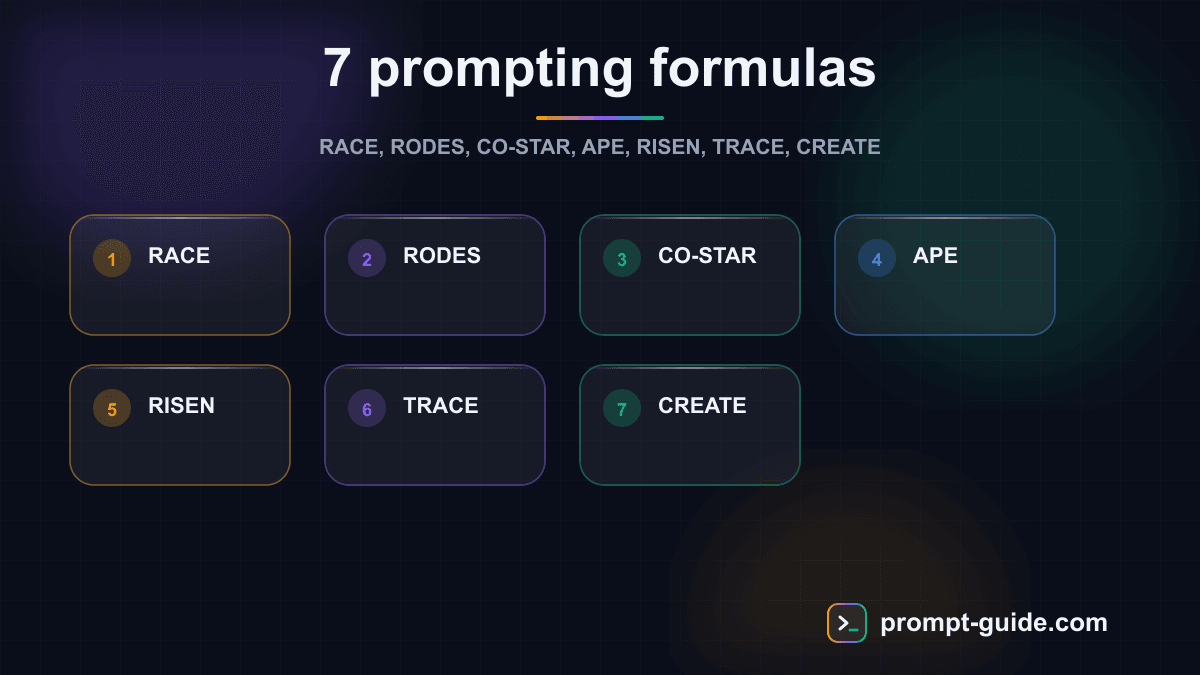
In this article, you'll discover 7 proven formulas, each suited to a different type of need. For each one: the framework explained, a ready-to-copy template, and a concrete example. Choose the one that best fits your situation — or combine them.
Why use prompting formulas?
Without structure, a prompt usually looks like this:
Help me write an email.
The result will be generic. With a formula, you guide the AI precisely:
You are a professional communication expert. I need to follow up with a client who hasn't responded to my quote in 10 days. Write a polite but firm follow-up email, 150 words maximum, with a catchy subject line and a clear call-to-action.
The difference? The formula forces you to provide the elements that matter: context, role, format, constraints. Result: relevant responses on the first try.
Let's explore the 7 formulas you can use every day. If you want to apply them directly, try our prompt builder.
1. The RACE Formula
RACE is one of the simplest and most versatile formulas. It breaks down into 4 elements:
- R — Role: What expert should the AI embody?
- A — Action: What specific task should it accomplish?
- C — Context: What background information is needed?
- E — Execution: What format or constraints for the result?
RACE Template
Role: You are [role/expert].
Action: [Specific task to accomplish].
Context: [Relevant background information].
Execution: [Format, length, tone, constraints].
Concrete Example
Role: You are a certified sports nutritionist.
Action: Create a 7-day meal plan for a 30-year-old man who trains 4 times per week in strength training.
Context: Goal: lean muscle gain. Budget: $65 per week. No food allergies but preference for simple, quick cooking (max 30 min prep).
Execution: Present the plan as a table (day, breakfast, lunch, snack, dinner) with daily macros. Add a weekly shopping list.
When to use it: RACE is ideal for everyday tasks — writing, planning, content creation. Its simplicity makes it perfect for getting started with prompting formulas.
2. The RODES Formula
RODES adds an extra dimension: defining the expected result before even starting the task.
- R — Role: The expert persona
- O — Objective: The goal to achieve
- D — Details: Specific information
- E — Examples: References or models to follow
- S — Style: Desired tone and format
RODES Template
Role: You are [role].
Objective: [What I want to accomplish].
Details: [Specific information and constraints].
Examples: [References, models, or examples to follow].
Style: [Desired tone, format, length].
Concrete Example
Role: You are a copywriter specializing in e-commerce product pages.
Objective: Write the product description for a 40L travel backpack.
Details: Recycled polyester bag, 15" laptop compartment, anti-theft pocket, airline cabin-compatible, 2.6 lbs. Target audience: digital nomads aged 25-40.
Examples: Inspired by Peak Design and Aer product pages — concise, benefit-oriented, with technical bullet points.
Style: Dynamic, aspirational tone. Structure: 2-line hook, 5 key benefits as bullets, storytelling paragraph, technical specs.
When to use it: RODES excels when you have a reference model in mind. The "Examples" element lets the AI match its style to what you already like.
3. The CO-STAR Formula
CO-STAR is a comprehensive framework developed for high-precision prompts. It covers 6 dimensions:
- C — Context: The background of the situation
- O — Objective: What you want to achieve
- S — Style: The voice or writing style
- T — Tone: The emotion or attitude
- A — Audience: Who the result is for
- R — Response: The expected format
CO-STAR Template
Context: [Background and situation].
Objective: [What I want to achieve].
Style: [Voice, writing style or expert to emulate].
Tone: [Emotion: professional, casual, persuasive...].
Audience: [Who this content is for].
Response: [Format: list, paragraph, table, email...].
Concrete Example
Context: I'm launching an online productivity course. Launch is in 2 weeks. I have an email list of 3,000 subscribers who downloaded my free guide "5 Habits for Better Time Management."
Objective: Write the launch announcement email.
Style: Conversational style like Tim Ferriss — direct, personal stories, anti-corporate.
Tone: Enthusiastic but not aggressive. Create urgency without artificial pressure.
Audience: Professionals aged 30-45, overwhelmed, wanting to take back control of their schedule.
Response: Complete email with subject line, pre-header, body (500 words max), main CTA and PS.
When to use it: CO-STAR is perfect for marketing content and communication. The Style/Tone/Audience distinction enables very fine control of the result.
4. The APE Formula
APE is the minimalist formula — only 3 elements. Ideal for quick tasks.
- A — Action: The action to perform
- P — Purpose: Why this action
- E — Expectation: The expected result
APE Template
Action: [What the AI should do].
Purpose: [Why — the end goal].
Expectation: [What the result should look like].
Concrete Example
Action: Rewrite these 5 blog post titles to maximize click-through rate.
Purpose: Increase my newsletter CTR which dropped from 35% to 22% over 3 months.
Expectation: For each original title, propose 3 variants using curiosity, urgency, or direct benefit. Present everything in a table (original title | variant 1 | variant 2 | variant 3).
When to use it: APE is your express formula. Perfect for micro-tasks: rephrasing, quick brainstorming, data transformation. When you don't need to specify an elaborate role or context.
5. The RISEN Formula
RISEN is an advanced framework that structures the task methodically, with very detailed instructions.
- R — Role: The AI's identity
- I — Instructions: Precise directives
- S — Steps: The sequence to follow
- E — End goal: The target result
- N — Narrowing: Limits and constraints
RISEN Template
Role: You are [specific role].
Instructions: [Clear directives about the task].
Steps: [Numbered sequence of actions to take].
End goal: [Description of the expected result].
Narrowing: [Constraints, limits, what NOT to do].
Concrete Example
Role: You are a digital strategy consultant specializing in B2B SaaS.
Instructions: Audit the positioning of my landing page and propose improvements.
Steps: 1) Analyze the value proposition (headline and subtitle). 2) Evaluate page structure (hero, benefits, social proof, CTA). 3) Identify friction points. 4) Propose concrete rewrites.
End goal: An audit report with a score out of 10 for each section and actionable recommendations.
Narrowing: The page targets marketing directors at mid-sized companies (50-200 employees). Don't propose graphic redesign, copywriting only. Max 800 words for the report.
When to use it: RISEN is ideal for complex, multi-step tasks. The "Steps" element guides the AI through a logical process, and "Narrowing" prevents off-topic responses. Check our cheat sheet to quickly reference this formula.
6. The TRACE Formula
TRACE emphasizes the task and context, with fine control over the output format.
- T — Task: What needs to be done
- R — Request: The details of the request
- A — Action: The specific actions expected
- C — Context: The background
- E — Example: A model to follow
TRACE Template
Task: [What needs to be accomplished].
Request: [Details and specifications].
Action: [Concrete expected actions].
Context: [Background information].
Example: [Model or reference to follow].
Concrete Example
Task: Create an 8-minute YouTube video script.
Request: The topic is "5 mistakes killing your productivity (and how to fix them)." The video must be engaging within the first 10 seconds.
Action: Write a complete script with: opening hook (pattern interrupt), introduction, 5 sections (mistake + solution for each), conclusion with CTA. Indicate key moments for visuals and transitions.
Context: Personal development YouTube channel, 15K subscribers, primarily male audience aged 25-35. Most-viewed videos cover time management and habits.
Example: Inspired by Ali Abdaal's style — casual tone, personal anecdotes, scientific study references, light humor.
When to use it: TRACE is particularly suited for multimedia content creation (videos, podcasts, presentations). The "Example" element with a stylistic reference helps the AI tremendously in nailing the right tone.
7. The CREATE Formula
CREATE is the most comprehensive formula. With 6 elements, it leaves nothing to chance and is suited for ambitious projects.
- C — Character: The AI's identity
- R — Request: The main request
- E — Examples: Models or references
- A — Adjustments: Preferences and customizations
- T — Type of output: The precise format
- E — Extras: Bonuses, additional constraints, or clarifications
CREATE Template
Character: You are [detailed role with expertise and experience].
Request: [Clear, specific main request].
Examples: [References, models, inspirations].
Adjustments: [Preferences: what I want and do NOT want].
Type of output: [Precise format of expected deliverable].
Extras: [Additional constraints, bonuses, clarifications].
Concrete Example
Character: You are a senior content strategy consultant with 10 years of experience in B2B tech. You've worked with SaaS startups from Series A to Series C.
Request: Create a 3-month editorial calendar for a project management tool's blog.
Examples: Inspired by Notion, Asana, and Monday.com blogs — mix of SEO articles, case studies, and thought leadership.
Adjustments: No bland "corporate" content. Each article should have an original angle or strong opinion. Favor actionable formats (guides, templates, checklists) over opinion pieces.
Type of output: Table with: week, article title, target keyword, angle/hook, format, funnel stage (TOFU/MOFU/BOFU), CTA.
Extras: Include 2 guest posts per month. Plan 1 "data-driven" article per month based on internal data. Each month should have a unifying theme.
When to use it: CREATE is your formula for strategic projects and complex deliverables. It takes longer to fill out, but guarantees a near-final result from the first prompt.
Which formula should you choose? A decision guide
| Situation | Recommended Formula | Why |
|---|---|---|
| Quick, simple task | APE | 3 elements are enough |
| Common task (email, text, plan) | RACE | Simple and versatile |
| Content with style reference | RODES or TRACE | The "Examples" element guides style |
| Marketing and communication | CO-STAR | Fine control over tone and audience |
| Complex multi-step task | RISEN | Step-by-step structure with guardrails |
| Ambitious strategic project | CREATE | Covers every possible angle |
Practical tip: Start with RACE for most of your needs. If the result isn't precise enough, switch to CO-STAR or RISEN to refine. Save CREATE for projects where every detail counts.
How to combine formulas
Formulas aren't rigid rules — they're guides. You can combine them based on your needs:
- RACE + an example: Add an "Example" element to RACE when you have a model to follow
- APE for brainstorming, then RISEN for execution: Use APE to generate ideas, then RISEN to develop the best one
- CO-STAR for the brief, CREATE for the deliverable: Define audience and tone with CO-STAR, then use CREATE to produce the final content
What matters isn't following a formula to the letter, but never sending a prompt without structure. Even a basic RACE produces better results than an unstructured prompt.
Conclusion: take action
You now know 7 proven prompting formulas, from the simplest (APE) to the most comprehensive (CREATE). Each one addresses a different need, and together they cover virtually all your AI interactions.
Here's your 3-step action plan:
Today
Try the RACE formula on your next task with ChatGPT
This week
Try CO-STAR for a marketing email or content piece
This month
Experiment with RISEN or CREATE on a more ambitious project
To go further, check out our prompting cheat sheet that summarizes all these formulas on one page, or use the prompt builder to apply these frameworks automatically. And if you want to deepen the theory behind these techniques, our prompt engineering guide will give you all the keys.
The best formula is the one you actually use. Pick one, test it, and you'll see the difference immediately.

L'Art du Prompting
Founder of Prompt Guide and CEO of Webpulser. Digital and AI entrepreneur since 2006, he shares his field-tested prompt engineering techniques.
Practice what you learned
Interactive exercises to sharpen your prompting skills
Stay Updated
Get our best articles and techniques every week.
Related Prompts
Write a SKILL.md for Hermes Agent: turn a repetitive task into a skill
Converts a freely described manual task into a structured SKILL.md for Hermes Agent: triggers, preconditions, procedure, checks, failure cases, report.
Create Math Exercises Adapted to Your Students Level
A comprehensive prompt to generate progressive math exercises with detailed answer keys, adapted to the grade level and chosen topic.
Résumer un cours pour réviser efficacement avec l'IA
Un prompt qui transforme n'importe quel cours ou ensemble de notes en fiche de révision structurée, claire et facile à mémoriser, adaptée à votre niveau et à votre échéance.
Create an Immersive Educational Role-Playing Game for Students
This prompt generates a turnkey educational role-playing game with scenario, character sheets, rules, resources and teacher guide adapted to your subject and level.