How much time do you spend writing emails each day? 30 minutes? An hour? According to a McKinsey study, professionals spend an average of 28% of their workday managing emails. That's massive — and it's exactly where AI can save you precious time.
But be careful: the goal isn't to let AI write generic, cold emails on your behalf. The objective is to use well-crafted prompts to generate professional, personalized emails suited to every situation. In this article, you'll find a simple method and 10 ready-to-copy prompt templates for your most common emails.
Why use AI for your professional emails?
AI doesn't replace your judgment — it accelerates your execution. Here's what it concretely brings you:
- Time savings: an email that would take you 15 minutes to craft is generated in 30 seconds
- Adapted tone: the AI adjusts to the register you request (formal, friendly, direct, diplomatic)
- No writer's block: no more blank pages for tricky emails
- Consistency: your emails maintain a professional style throughout
- Multilingual: need to write in another language? AI translates and adapts cultural conventions
Of course, you should always review and personalize the result. AI produces an excellent first draft — it's up to you to add the final touch. To go further, discover our prompt templates for all your needs.
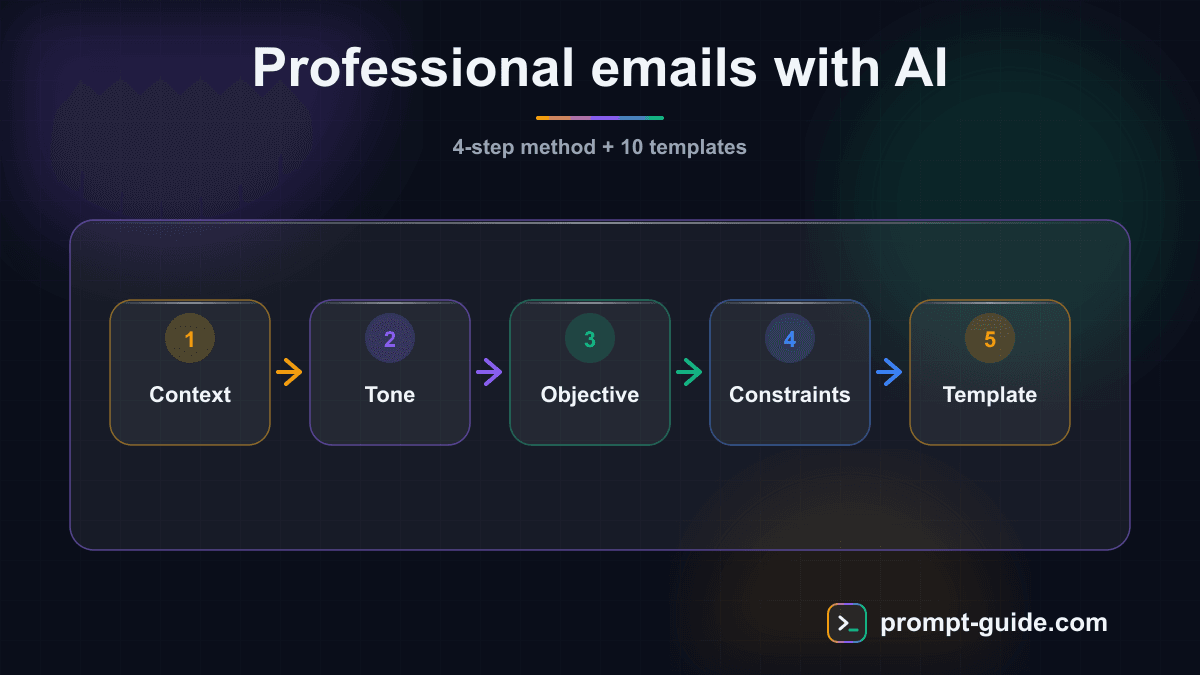
The 4-step method for a perfect email with AI
Before getting to the templates, here's the method we recommend for every email:
Step 1: Define the context
Tell the AI who you are, who you're writing to, and in what context. The more precise the context, the more relevant the email.
Step 2: Specify the tone
A follow-up to a loyal client doesn't have the same tone as a cold outreach to a CEO. Always indicate the desired level of formality: formal, friendly, direct, diplomatic, enthusiastic.
Step 3: State the objective
What do you want to achieve with this email? A meeting? A reply? A payment? The call-to-action must be explicit in your prompt.
Step 4: Specify constraints
Desired length, information to include or exclude, deadlines to mention, format (with or without subject line, signature, etc.).
You can also use our prompt builder to apply this method automatically to any type of email.
10 ready-to-use email prompt templates
Each template follows the context + tone + objective + constraints structure. Copy it, adapt the elements in brackets, and paste it into ChatGPT, Claude, or Gemini.
1. Introduction / first contact email
When to use: you're contacting someone for the first time (prospect, partner, recruiter).
Write a professional first-contact email. I'm [your position] at [your company]. I'm writing to [name/position of recipient] at [recipient's company]. The goal is to [present my offer / propose a partnership / introduce myself for a position]. Cordial and professional tone. The email should be 5-8 lines maximum, with a catchy subject line and a clear call-to-action for [getting a meeting / a 15-min call]. Avoid sales jargon and generic phrases.
2. Follow-up email (no response)
When to use: you sent an email a few days ago and haven't heard back.
Write a polite, non-pushy follow-up email. I contacted [name] [number] days ago about [subject of first email]. I haven't received a response. Tone: friendly and understanding, no guilt-tripping. The email should briefly recall the context, add a supplementary value element [new info, resource, relevant news], and suggest a simple alternative [new time slot, different contact channel]. Maximum 6 lines. Subject line: a variation of the original that makes them want to reply.
3. Complaint email
When to use: you have a problem with a service, product, or contractor.
Write a firm but professional complaint email. I've been a customer of [company/service] for [duration]. My issue: [describe the problem factually]. What I've already done: [resolution attempts]. What I expect: [desired solution + reasonable deadline]. Tone: factual, assertive but not aggressive. Cite facts and dates. Mention openness to discuss a solution. Maximum 10 lines.
4. Thank you email
When to use: after an interview, meeting, service rendered, or collaboration.
Write a sincere and professional thank you email. I'm thanking [name] for [what they did: interview, help, advice, collaboration]. Context: [situation]. Tone: warm and authentic, no boilerplate phrases like "I wanted to thank you." Mention a specific element from our exchange that stood out [precise detail]. Conclude with an opening toward next steps [next action, staying in touch]. Maximum 6 lines.
5. Post-meeting follow-up email
When to use: after a meeting to recap decisions and next steps.
Write a post-meeting follow-up email. Participants: [list]. Date: [date]. Topics discussed: [main points]. Decisions made: [list of decisions]. Next steps: [actions, owners, deadlines]. Tone: professional and structured. Use bullet points for actions. Ask for confirmation that the summary is accurate. Subject: "Following our meeting on [date] - Action items."
6. Quote / information request email
When to use: you're contacting a vendor or service provider for information or a quote.
Write a professional quote request email. I'm [position] at [company, size, industry]. I'm looking for [service/product sought]. My specific needs: [describe needs, volumes, timelines]. Specific questions: [list 3-4 questions]. Tone: direct and professional. Request a detailed quote with delivery timelines. Mention indicative budget if relevant: [budget]. Maximum 8 lines.
7. Polite rejection email
When to use: you need to decline a proposal, offer, or invitation diplomatically.
Write a polite and professional rejection email. I need to decline [proposal / offer / invitation] from [name/company]. Reason: [honest but diplomatic reason]. Tone: respectful, appreciative, unambiguous about the rejection. Start by thanking for the proposal. Give a clear reason without over-justifying. Suggest an alternative if relevant [postpone, recommend someone else, keep in touch]. Maximum 6 lines.
8. Professional apology email
When to use: you've made an error, caused a delay, or had an oversight in a professional context.
Write a professional apology email. The situation: [describe the error/delay/problem factually]. Impact on the recipient: [consequences for them]. What I'm doing to fix it: [concrete corrective actions + timeline]. Tone: responsible and solution-oriented, without excessive apologies. Acknowledge the mistake in one sentence, then quickly move to solutions. Offer compensation if appropriate. Maximum 8 lines.
9. Unsolicited application email
When to use: you're applying to a company that hasn't posted a job opening.
Write a compelling unsolicited application email. My profile: [current role, X years of experience, key skills]. Target company: [name, what attracts me — be specific]. What I bring: [2-3 concrete, quantified achievements]. Type of position sought: [area/function]. Tone: confident but humble, enthusiastic without excess. The email should make them want to read my resume. A standout subject line that goes beyond "Unsolicited Application - [Name]." Maximum 8 lines.
10. Payment reminder email
When to use: an invoice is overdue and you need to get paid professionally.
Write a professional payment reminder email. Invoice details: [number, amount, issue date, overdue by X days]. Client: [name/company]. This is the [first / second / third] reminder. Tone: [first reminder: friendly, assuming good faith / second: firmer / third: formal with mention of consequences]. Remind payment details. Ask for confirmation of receipt and expected payment date. Maximum 8 lines.
Before / after examples: the difference a good prompt makes
To illustrate the power of these templates, here are two concrete examples:
Example 1: Follow-up email
Vague prompt:
Write a follow-up email for a client.
Result: a generic, impersonal email that reads like spam.
Prompt with our template:
Write a polite follow-up email. I contacted Marie Dupont, Marketing Director at TechCorp, 5 days ago to propose our email automation solution. Friendly tone. Add as supplementary value that we just published a case study showing +40% open rate for a similar client. Suggest a 15-min call this week or next.
Result: a personalized, relevant email with a real reason to reply.
Example 2: Apology email
Vague prompt:
Write an email to apologize for a delay.
Result: an email full of "I'm truly sorry" repeated three times, with no concrete solution.
Prompt with our template:
Write a professional apology email. I delivered the audit report 3 days late to my client Jean Martin, CFO at IndustriaPlus. The impact: he couldn't present the results at Monday's board meeting. Corrective action: the report is being sent today with an additional executive summary not originally planned. Solution-oriented tone.
Result: an email that acknowledges the problem, measures its impact, and proposes a concrete solution with a bonus.
5 tips for even better AI emails
Always provide an example of your style.
Add to your prompt: "Here's a recent email I wrote for tone reference: [paste an email]." The AI will reproduce your natural voice.
Ask for multiple versions.
"Propose 3 versions: one formal, one friendly, one direct." You'll pick the best and refine it.
Specify what NOT to write.
"Don't start with 'I hope this finds you well.' Don't say 'Don't hesitate to.' Avoid passive voice." Negative constraints are as powerful as positive ones.
Use threading.
After a first generated email, ask: "Rephrase to be more direct" or "Add a mention of our last conversation at the X conference." The AI progressively refines.
Create your own templates.
Once you have a perfect email, save it as a personal template. Combine it with our marketing prompting guide to systematize your communication.
Conclusion: the perfect email in 30 seconds
AI won't replace your ability to communicate — it will amplify it. With the right prompts, you can draft in 30 seconds emails that used to take 15 minutes, while maintaining a professional and personal tone.
The key is the precision of your prompts. The more context you give the AI (who you are, who you're writing to, what tone, what objective), the more immediately usable the result.
To go further:
- Explore all our prompt templates sorted by use
- Check out the digital marketing prompting guide
- Try the prompt builder to create your own formulas

L'Art du Prompting
Founder of Prompt Guide and CEO of Webpulser. Digital and AI entrepreneur since 2006, he shares his field-tested prompt engineering techniques.
Practice what you learned
Interactive exercises to sharpen your prompting skills
Stay Updated
Get our best articles and techniques every week.
Related Prompts
Write a SKILL.md for Hermes Agent: turn a repetitive task into a skill
Converts a freely described manual task into a structured SKILL.md for Hermes Agent: triggers, preconditions, procedure, checks, failure cases, report.
Create Math Exercises Adapted to Your Students Level
A comprehensive prompt to generate progressive math exercises with detailed answer keys, adapted to the grade level and chosen topic.
Résumer un cours pour réviser efficacement avec l'IA
Un prompt qui transforme n'importe quel cours ou ensemble de notes en fiche de révision structurée, claire et facile à mémoriser, adaptée à votre niveau et à votre échéance.
Create an Immersive Educational Role-Playing Game for Students
This prompt generates a turnkey educational role-playing game with scenario, character sheets, rules, resources and teacher guide adapted to your subject and level.