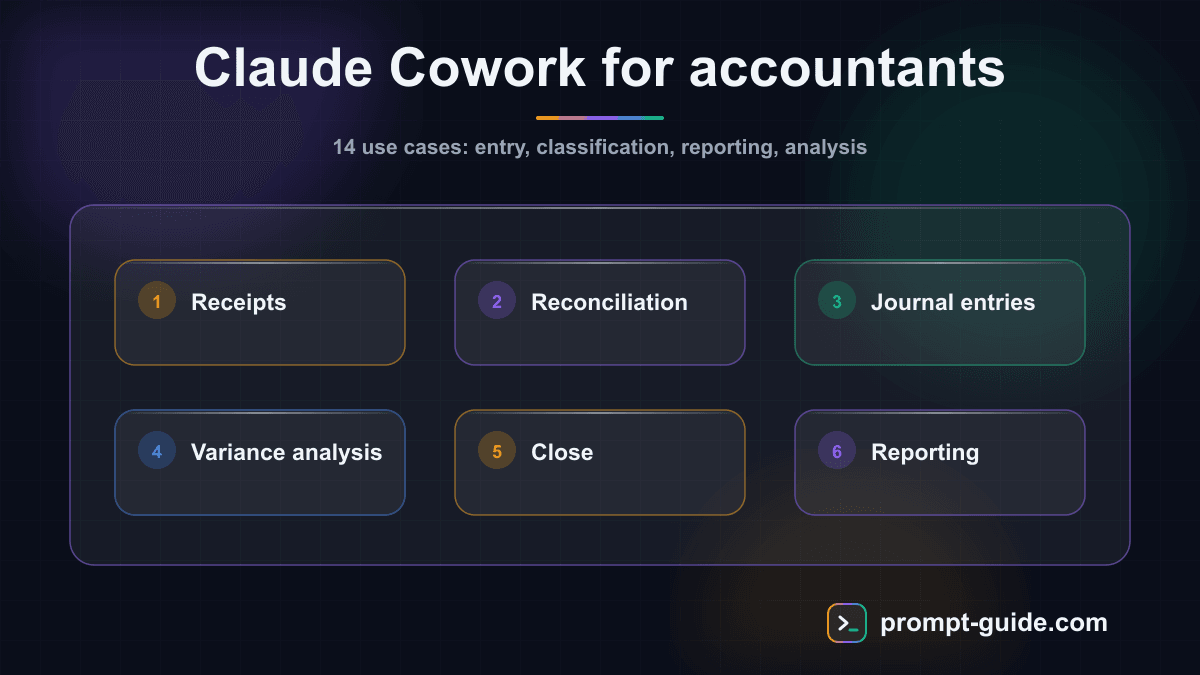
According to usage data published by Anthropic in Q1 2026, accountants and finance professionals are the number one profession by adoption volume for Claude Cowork worldwide. This is no coincidence: accounting relies on repetitive, high-precision tasks -- exactly the domain where an autonomous AI agent delivers the most value. This article details 14 concrete use cases you can implement in your practice today, with the required inputs and deliverables for each.
Why accountants are adopting Claude Cowork at scale
An accountant's daily work combines three types of activity: structured data entry, financial analysis, and client relations. Each involves precise rules, standardized formats, and high volumes. Claude Cowork, through its agentic mode, can handle entire tasks end-to-end: you describe the expected result, provide the source documents, and the agent plans, executes, and delivers a usable output.
Unlike a simple chatbot that merely answers questions, Cowork executes. It reads your CSV and PDF files, applies accounting rules, generates journal entries, drafts professional documents, and alerts you to detected anomalies. The tool runs in a secure virtualized environment on your machine, meaning your client data does not pass through uncontrolled third-party servers.
Another factor behind this rapid adoption: accounting is a field where errors have direct consequences (tax penalties, professional liability). Claude Cowork does not replace the accountant's judgment, but it eliminates mechanical tasks that consume time without adding intellectual value. The professional focuses on review, interpretation, and advisory.
Data entry and classification
1. Automated receipt processing
What Claude does: analyzes photos or scans of receipts, supplier invoices, and expense reports. For each document, it extracts key information -- net amount, VAT rate and amount, supplier name, transaction date, expense category -- and structures them into a usable table. When a document is hard to read or an amount seems inconsistent, Claude flags the anomaly rather than fabricating a value.
Input needed: batch of receipt photos or PDFs, client's chart of accounts or firm-specific categorization rules.
Output produced: CSV file or structured table with date, supplier description, net amount, VAT rate, VAT amount, gross amount, and suggested expense account. Ambiguous cases are isolated in a dedicated section for manual review.
2. Bank reconciliation
What Claude does: compares the bank statement (CSV, OFX, or PDF format) with the general ledger for the same month. The agent identifies matching entries by cross-referencing amounts, dates, and descriptions. It flags discrepancies, detects potential duplicates, and proposes adjustment entries for each outstanding item.
Input needed: monthly bank statement, general ledger export for the same period, tolerance threshold for discrepancies (e.g., $0.50), specific reconciliation rules if applicable.
Output produced: reconciliation report in three clearly separated sections. First: automatically matched entries with confidence scores. Second: outstanding items on the bank side. Third: outstanding entries on the ledger side. Each anomaly includes a proposed adjustment entry with journal, accounts, and description.
3. Journal entry generation
What Claude does: from varied source documents -- supplier invoices, customer invoices, payroll slips, depreciation schedules, loan agreements, bank fee statements -- generates standard journal entries. Each entry includes debit account, credit account, amount, standardized description, and source document reference. VAT allocation is calculated automatically based on the applicable rate.
Input needed: source document (PDF, image, or text), company's chart of accounts, target journal (purchases, sales, bank, miscellaneous).
Output produced: entries in an importable format for the firm's accounting software. Each line includes the source document reference for audit trail purposes. Complex entries (invoices with deposits, partial credit notes, foreign currency transactions) include an explanatory note.
Reporting and financial analysis
4. Budget variance analysis
What Claude does: compares actual figures with the budget forecast line by line. For each item, it calculates the variance in absolute and percentage terms, then ranks items by decreasing materiality. Beyond raw calculation, Claude writes an analytical commentary for each significant variance using observed trends and prior month data.
Input needed: budget forecast (CSV or spreadsheet), trial balance of actuals for the same period, prior month comparatives, desired materiality threshold (e.g., 5% or 10,000 euros).
Output produced: comparative budget-vs-actual table with absolute and percentage variance columns, narrative report of significant variances with explanatory hypotheses (seasonality, one-off event, structural drift), summary charts ready for client presentations.
5. Accelerated monthly close
What Claude does: executes the monthly close checklist step by step. This includes cut-off verification (accrued expenses, prepaid items), provision calculations, inter-journal consistency checks, aged receivables and payables schedules, and cash flow statement production. The goal is to reduce close time from several days to a few hours.
Continue reading
Create a free account to access the rest of this guide and all our Claude Cowork content.
- Full access to Claude Cowork guides
- Ready-to-use prompts and Skills
- 100% free, no commitment

Prompt Guide
Founder of Prompt Guide and CEO of Webpulser. Digital and AI entrepreneur since 2006, he shares his field-tested prompt engineering techniques.
Practice what you learned
Interactive exercises to sharpen your prompting skills
Master Claude Cowork in 5 days
Get one email per day for 5 days with practical exercises, ready-to-use prompts and pro tips.
- 1Day 1: Setup and global instructions
- 2Day 2: Skills - customize your assistant
- 3Day 3: Scheduled tasks and automations
- 4Day 4: Plugins, connectors and Computer Use
- 5Day 5: Advanced workflows and business use cases
Bonus: 3 advanced prompts
Ready-to-copy prompts for Claude Cowork
Analyse ce bilan comptable et genere un rapport de diagnostic financier : [FOURNIR LES DONNEES DU BILAN] Le rapport doit inclure : 1. Ratios cles (liquidite, solvabilite, rentabilite) 2. Evolution N...
Configure une veille fiscale automatisee pour mon cabinet : 1. Liste les sources officielles a surveiller (BOFiP, Journal Officiel, directives UE) 2. Filtre par domaines : [TVA/IS/IR/CHARGES SOCIALES...
Prepare un dossier de revision comptable complet pour le client [NOM DU CLIENT] : 1. Checklist de revision par cycle (achats, ventes, tresorerie, immobilisations, personnel, fiscal) 2. Points de cont...
Create a free account in 30 seconds
Claude Cowork Starter Kit
A ready-to-use context kit so Claude Cowork knows your profession from the moment you open it.
- Free and open source kit
- Compatible with Claude Cowork and Codex
- Ready-to-use context files
- Use cases for freelancers and consultants
Related Prompts
Transform long content into catchy social media posts
Transform your articles and long-form content into short, engaging social media publications.
Create Catchy Social Media Headlines
Generates punchy, optimized headlines for your social media posts, adapted to your audience and platform.
Summarize long articles or documents into clear summaries
Condense articles, reports, and lengthy documents into structured and directly usable summaries.
Write Professional Blog Posts and White Papers
Create engaging blog posts and professional white papers that strengthen your industry expertise.