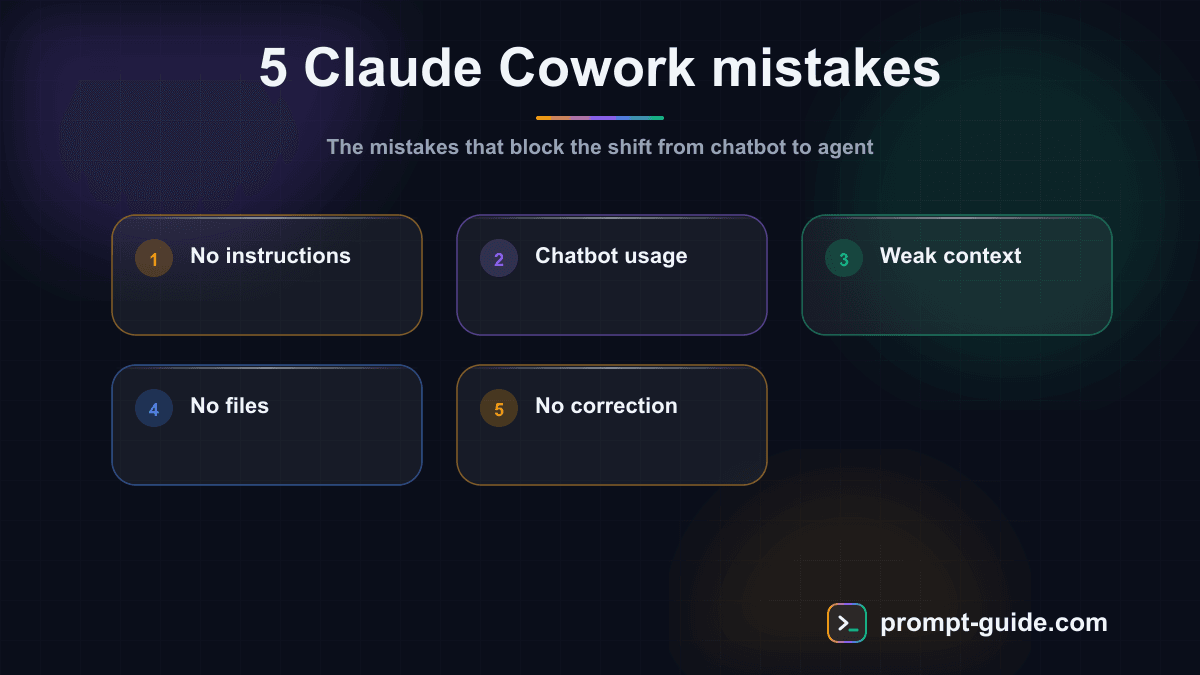
Introduction: why Claude Cowork isn't working the way you want
You signed up for Claude Cowork. You ran a few conversations. And now you're wondering why the results don't match what you see people bragging about online. Don't worry -- you're not alone. Most Claude Cowork users make the same mistakes, often without realizing it.
The problem isn't the tool. It's how you're using it. Claude Cowork is a work agent, not a simple chatbot. That distinction changes everything. Here are the 5 Claude Cowork mistakes that are killing your productivity, and exactly how to fix them.
Mistake #1: Not setting up Global Instructions
The problem
Every time you open a new conversation with Claude Cowork, it knows nothing about you. Your industry, communication style, format preferences, tools -- everything starts from zero. You spend the first five minutes of every session re-explaining who you are.
Why it matters
Without Global Instructions, Claude produces generic responses. Neutral tone when you want conversational. Wrong formats. No awareness of your business constraints. Every interaction starts from scratch instead of building on what you've already defined.
The fix
Open Claude Cowork settings and write your Global Instructions. These are automatically injected into every conversation. Include:
- Your role and industry: "I'm a marketing manager at a B2B SaaS startup."
- Your tone: "Use a professional but approachable tone."
- Your constraints: "My LinkedIn posts must be under 1,300 characters."
- Your tools: "I use Notion, Figma, and Slack daily."
- Format preferences: "Always structure responses with headings and bullet points."
Concrete example: instead of starting every conversation with "I'm a freelance copywriter and I want a casual tone...", your Global Instructions already contain this. Claude adapts immediately from the first response.
Mistake #2: Using Cowork like a chatbot instead of an agent
The problem
Most users treat Claude Cowork exactly like any chatbot: one question, one answer, done. "Write me an email." "Give me 5 title ideas." "Summarize this text." These are one-shot requests that use a fraction of the tool's power.
Claude Cowork is a work agent capable of handling complex, multi-step tasks with back-and-forth iteration.
Why it matters
One-shot prompts produce surface-level results. No deep research, no iteration, no verification. You're doing all the coordination yourself when Claude could do it for you.
The fix
Stop thinking in "questions" and start thinking in task delegations. Give Claude a complete objective with context, constraints, and expected deliverables.
Instead of: "Write me a LinkedIn post about AI."
Write: "I want to publish a LinkedIn post this week about productivity gains AI brings to HR teams. My audience: HR directors and recruiters. Tone: expert but accessible. Constraint: 1,300 characters max. Start with a strong hook, include a key statistic, and end with an open question. Give me 3 versions."
Continue reading
Create a free account to access the rest of this guide and all our Claude Cowork content.
- Full access to Claude Cowork guides
- Ready-to-use prompts and Skills
- 100% free, no commitment

Prompt Guide
Founder of Prompt Guide and CEO of Webpulser. Digital and AI entrepreneur since 2006, he shares his field-tested prompt engineering techniques.
Practice what you learned
Interactive exercises to sharpen your prompting skills
Master Claude Cowork in 5 days
Get one email per day for 5 days with practical exercises, ready-to-use prompts and pro tips.
- 1Day 1: Setup and global instructions
- 2Day 2: Skills - customize your assistant
- 3Day 3: Scheduled tasks and automations
- 4Day 4: Plugins, connectors and Computer Use
- 5Day 5: Advanced workflows and business use cases
Bonus: 3 advanced prompts
Ready-to-copy prompts for Claude Cowork
Analyse mon utilisation actuelle de Claude Cowork. Regarde mes dossiers de projets, mes fichiers d'instructions globales, et mes skills installes. Genere un rapport de diagnostic avec : 1. Ce qui est ...
Je veux creer mes instructions globales pour Claude Cowork. Pose-moi 10 questions strategiques sur : - Mon metier et mes responsabilites - Mon style de communication - Mes outils et workflows quotidie...
Examine tous les Skills que j'ai installes dans Claude Cowork. Pour chacun : 1. Evalue sa qualite (structure, completude, specificite) 2. Identifie les redondances entre skills 3. Suggere des ameliora...
Create a free account in 30 seconds
Claude Cowork Starter Kit
A ready-to-use context kit so Claude Cowork knows your profession from the moment you open it.
- Free and open source kit
- Compatible with Claude Cowork and Codex
- Ready-to-use context files
- Use cases for freelancers and consultants
Related Prompts
Transform long content into catchy social media posts
Transform your articles and long-form content into short, engaging social media publications.
Create Catchy Social Media Headlines
Generates punchy, optimized headlines for your social media posts, adapted to your audience and platform.
Summarize long articles or documents into clear summaries
Condense articles, reports, and lengthy documents into structured and directly usable summaries.
Write Professional Blog Posts and White Papers
Create engaging blog posts and professional white papers that strengthen your industry expertise.