Introduction: Skills, the Real Power of Claude Cowork
Claude Cowork is already a formidable assistant out of the box. But what makes it truly indispensable in 2026 are Skills -- specialized modules that transform Claude into a domain expert. Marketing, finance, legal, data analysis: each skill adds a targeted layer of expertise that Claude can leverage on demand.
The challenge? There are dozens of them. Between official Anthropic skills, popular community skills, and custom skills you can build yourself, it is easy to get lost. This article presents the 15 best Claude Cowork skills to install in 2026, ranked by performance tier.
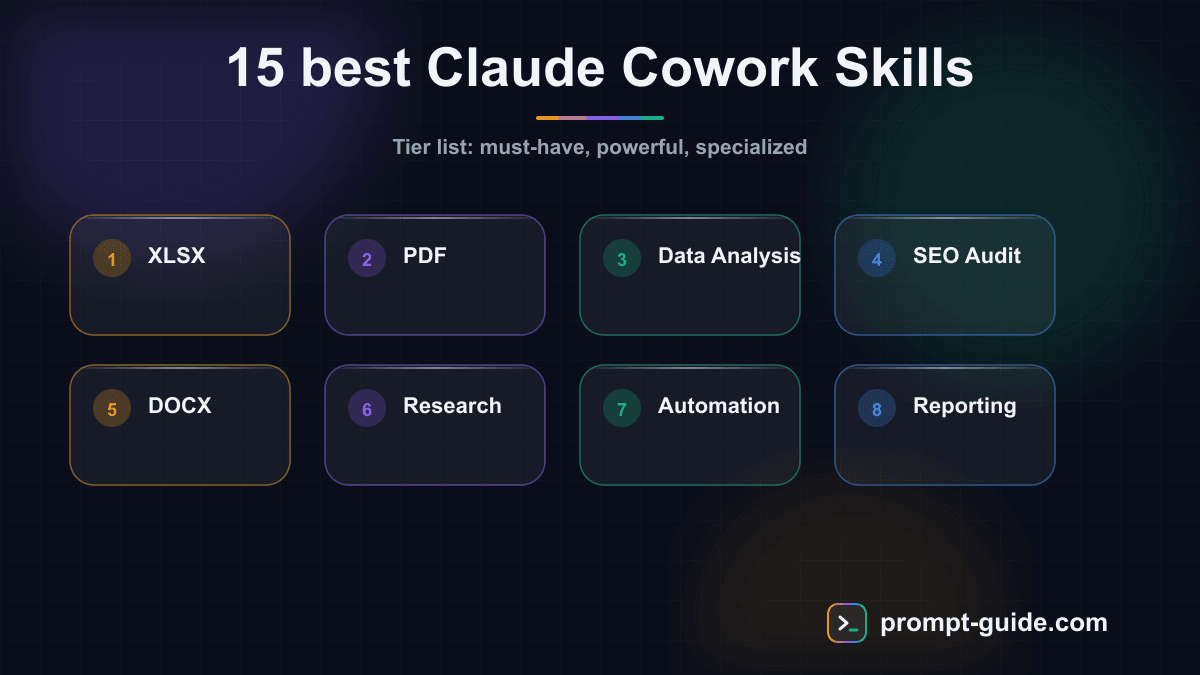
Tier List of the 15 Best Claude Cowork Skills
| Tier | Skill | Category | Primary Use Case |
|---|---|---|---|
| S | XLSX (Spreadsheets) | Anthropic | Spreadsheet analysis and creation |
| S | Anthropic | PDF reading and manipulation | |
| S | Data Analysis | Community | Structured data analysis |
| S | SEO Audit | Custom | Complete website SEO audit |
| A | DOCX (Documents) | Anthropic | Word document creation |
| A | PPTX (Presentations) | Anthropic | Slide generation |
| A | Marketing | Community | Strategy and content marketing |
| A | Brand Voice | Custom | Brand voice consistency |
| A | Content Repurposing | Custom | Multi-channel content reuse |
| A | Finance | Community | Modeling and forecasting |
| B | Sales | Community | Prospecting and closing |
| B | Legal | Community | Contract analysis |
| B | Meeting Prep | Custom | Meeting preparation |
| B | SOP Generator | Custom | Procedure creation |
| B | Weekly Briefing | Custom | Weekly summary |
Tier S: The Must-Have Skills
1. XLSX -- Spreadsheets (Anthropic)
The XLSX skill is probably the most widely used across the entire Claude Cowork ecosystem. It enables Claude to create, edit, and analyze complete spreadsheet files with formulas, conditional formatting, charts, and pivot tables.
What makes it Tier S is its ability to understand the business logic behind your data. You send a raw file, and it detects trends, suggests relevant formulas, and generates actionable visualizations. It does not just read -- it transforms.
Best use case: You receive a 10,000-row CSV export from your CRM. In a single request, Claude cleans duplicates, builds a dashboard with KPIs, and generates a presentation-ready XLSX file.
2. PDF (Anthropic)
The PDF skill addresses a universal need: reading, extracting from, and manipulating PDF documents. In 2026, an enormous amount of professional information still circulates in PDF format -- contracts, reports, invoices, technical specifications.
The skill handles reading large PDFs (hundreds of pages), extracting tables, merging and splitting documents, and even filling PDF forms. Its recognition of complex layouts is particularly impressive.
Best use case: Extract key clauses from 15 supplier contracts in a single batch to prepare renegotiations, with a comparative table as output.
3. Data Analysis (Community)
The Data Analysis skill pushes Claude's analytical capabilities well beyond the XLSX skill. It is a complete data analysis framework covering cleaning, statistical exploration, modeling, and visualization.
It excels at anomaly detection, correlation analysis, statistical tests (t-test, chi-square, ANOVA), and generating structured reports. For teams without a dedicated data analyst, this skill is a paradigm shift.
Best use case: Analyze your marketing campaign performance over the past 12 months, identify variables that most influence conversion rates, and generate a report with actionable recommendations.
4. SEO Audit (Custom)
The SEO Audit skill is a perfect example of what custom skills bring to the ecosystem. It combines web browsing, content analysis, and SEO best practices to perform a comprehensive audit of your website.
It analyzes URL structure, meta tags, loading speed, internal linking, content quality, backlinks, and mobile compatibility. The output is a prioritized report with concrete, data-backed recommendations.
Best use case: Run a complete audit before a website redesign to identify high-traffic pages to protect and quick SEO wins to implement first.
Tier A: Powerful Everyday Skills
5. DOCX -- Documents (Anthropic)
The DOCX skill turns Claude into a professional document writer. It creates Word documents with polished layouts, headers and footers, automatic table of contents, custom styles, and tracked changes.
It shines particularly for long, structured documents: business proposals, activity reports, training manuals. Claude respects existing document templates if you provide one.
Best use case: Generate a 20-page business proposal from a 5-line brief, with professional formatting and structured chapters.
6. PPTX -- Presentations (Anthropic)
The PPTX skill is the answer to the universal chore: creating slides. It generates complete PowerPoint presentations with varied layouts, visual hierarchy, speaker notes, and subtle animations.
The skill understands presentation design principles -- it avoids overcrowded slides, uses logical progression, and calibrates text volume per slide. The output is clean enough to present as-is in most professional settings.
Best use case: Transform a 30-page analysis report into a 12-slide executive deck with key figures and clear charts.
7. Marketing (Community)
The Marketing skill is a Swiss army knife for marketing teams. It covers content strategy, campaign planning, competitive analysis, persona creation, and ad copywriting.
What sets it apart from other content generation tools is its ability to maintain strategic coherence. It does not just produce text: it ties every content piece to your goals, positioning, and target audience.
Best use case: Plan a complete quarterly content strategy: editorial calendar, angles for each article, target keywords, and brief for each content piece.
8. Brand Voice (Custom)
The Brand Voice skill solves a recurring problem with generative AI: generic tone. It lets you define or extract your brand voice, then systematically apply it to all Claude-generated content.
The extraction process is particularly clever: you provide 5 to 10 examples of existing content, and the skill generates a detailed voice profile (tone, register, preferred words, sentence structures, what to avoid). This profile is then automatically used by all other content skills.
Best use case: Extract your brand voice from your successful newsletter and apply it across all communications -- website, social media, marketing emails -- for perfect consistency.
9. Content Repurposing (Custom)
The Content Repurposing skill maximizes the ROI of every piece of content you produce. A blog post becomes a LinkedIn thread, an Instagram story series, a short video script, a newsletter email, and a Twitter thread -- all in a single operation.
It does not just slice: it adapts format, tone, and structure to each platform. A LinkedIn post has neither the same rhythm nor the same hook as a tweet or an Instagram story. The skill knows each channel's conventions.
Best use case: Transform a 45-minute podcast episode into 8 distinct content pieces for your different channels, each optimized for its target platform.
10. Finance (Community)
The Finance skill serves finance professionals, entrepreneurs, and anyone working with financial data. It covers financial modeling, cash flow forecasting, profitability analysis, valuations, and financial dashboard creation.
It can build complex financial models with variable assumptions, optimistic/pessimistic scenarios, and sensitivity analysis. Formulas are transparent and auditable, which is essential in financial contexts.
Best use case: Build a 3-year financial business plan with three scenarios, including projected income statement, cash flow plan, and break-even calculation.
Tier B: Specialized but Valuable Skills
11. Sales (Community)
The Sales skill helps sales teams across the entire sales cycle: prospecting, qualification, call preparation, follow-up, and closing. It generates personalized outreach emails, call scripts, and business proposals.
Its strong point is personalization at scale. You import a prospect list with basic data (company, role, industry), and the skill generates unique, relevant messages for each one.
Best use case: Prepare an outreach campaign for 50 prospects with a personalized opening email and a 3-touchpoint follow-up sequence for each.
12. Legal (Community)
The Legal skill assists with analyzing and drafting legal documents. Contract review, problematic clause identification, initial drafts of terms of service, privacy policies, or NDAs.
Important note: this skill is an assistance tool, not a substitute for a lawyer. It is extremely useful for pre-work -- identifying attention points before a legal meeting, comparing contract versions, or understanding complex clauses in plain language.
Best use case: Analyze a 25-page service contract and generate an executive summary with the 10 most critical clauses, identified risks, and suggested negotiation points.
13. Meeting Prep (Custom)
The Meeting Prep skill saves considerable time before every important meeting. You provide context (agenda, participants, objectives), and it generates a complete preparation package: key talking points, questions to anticipate, relevant data, and negotiation strategy.
It is particularly effective when combined with other skills. For example, it can leverage the Finance skill to prepare key figures before a board meeting, or the Legal skill to summarize contractual issues before a negotiation.
Best use case: Prepare an investor meeting in 10 minutes: presentation package, anticipated tough questions, and key figures at your fingertips.
14. SOP Generator (Custom)
The SOP Generator skill (Standard Operating Procedures) automates the creation of internal procedures. You describe a business process in natural language, and it generates a structured document with numbered steps, responsible parties, checkpoints, and validation criteria.
This skill is a gem for growing companies that need to quickly document their processes before they become unmanageable. It generates SOPs in standard format, ready to integrate into your internal knowledge base.
Best use case: Document your team's 10 key processes in a single day: onboarding, ticket management, approval workflows, deployment procedures, etc.
15. Weekly Briefing (Custom)
The Weekly Briefing skill automatically generates weekly summaries from multiple sources. It compiles key industry information, your company's performance metrics, and ongoing actions to produce a structured, actionable briefing.
This skill reaches its full potential when configured with your specific sources: analytics dashboard, CRM, project management tool, industry RSS feeds. The briefing then becomes a true narrative dashboard of your business.
Best use case: Generate every Monday morning a 2-page executive briefing covering last week's KPIs, industry trends, and the week's priorities.
How to Create Your Own Custom Skills
Pre-built skills are powerful, but the real potential of Claude Cowork lies in creating custom skills. A custom skill is a configuration file that gives Claude specific instructions, business context, and predefined workflows for your exact use case.
A skill consists of three elements: a trigger (when to activate), a context (specific knowledge and instructions), and outputs (expected format). It is as simple as writing a good prompt -- but with far superior persistence and reusability.
To go further and learn how to create your own skills step by step, check out our complete Claude Cowork learning path. You will find detailed tutorials, ready-to-use skill templates, and concrete examples for every industry.
If a prompt should also run on its own at a set time, say every Monday morning, use a scheduled task: our guide to scheduled tasks walks through the setup in Claude, ChatGPT and Gemini.
Conclusion: Build Your Skill Stack
Claude Cowork skills are not mere gadgets -- they represent a new way of working with AI. Rather than asking a generalist assistant to do everything, you progressively build an ecosystem of specialized experts who know your business, your voice, and your processes.
Our recommendation: start with Tier S skills (XLSX, PDF, Data Analysis, SEO Audit), add Tier A skills that match your business, then invest time in creating custom skills tailored to your specific needs. That is where you will get the best return on investment.
The question is no longer whether you should use Claude Cowork skills, but which ones to install first.

Prompt Guide
Founder of Prompt Guide and CEO of Webpulser. Digital and AI entrepreneur since 2006, he shares his field-tested prompt engineering techniques.
Practice what you learned
Interactive exercises to sharpen your prompting skills
Master Claude Cowork in 5 days
Get one email per day for 5 days with practical exercises, ready-to-use prompts and pro tips.
- 1Day 1: Setup and global instructions
- 2Day 2: Skills - customize your assistant
- 3Day 3: Scheduled tasks and automations
- 4Day 4: Plugins, connectors and Computer Use
- 5Day 5: Advanced workflows and business use cases
Bonus: 4 advanced prompts
Ready-to-copy prompts for Claude Cowork
Cree un Skill Claude personnalise pour moi. Voici ce que je veux automatiser : [DECRIVEZ VOTRE TACHE] Genere un fichier Skill complet en markdown avec : - Nom et description - Instructions detaillee...
J'ai ces Skills installes dans Claude : [LISTEZ VOS SKILLS] Propose 5 workflows qui COMBINENT plusieurs skills en chaine pour des taches complexes. Pour chaque workflow : 1. Nom du workflow 2. Skills...
Voici un de mes Skills Claude qui ne fonctionne pas assez bien : [COLLEZ VOTRE SKILL] Analyse-le et ameliore-le : 1. Identifie les instructions vagues ou ambigues 2. Ajoute des garde-fous (edge case...
Je suis [VOTRE METIER]. Genere une bibliotheque de 10 Skills Claude adaptes a mon activite. Pour chaque skill : - Nom (court et descriptif) - Description en 1 ligne - Le contenu complet du fichier .md...
Create a free account in 30 seconds
Claude Code AI Workspace Kit
A kit to structure your context and workspace with Claude Code.
- A workspace for Claude Code
- Ready-to-use context files
- A framework to organise your work
Related Prompts
Developer Resume Prompt
Write a developer resume from your stack, your projects and the target job posting.
Preparing for a Sales Interview: Prompt
Prepare for a sales interview with likely questions, a personal pitch, and a graded sales simulation.
Cover letter for public sector jobs: prompt
A letter addressed to a government agency, local authority or public hospital, written from the job description.
Career change cover letter: prompt
A prompt to write a career change cover letter that explains your switch and connects your background to the target role.