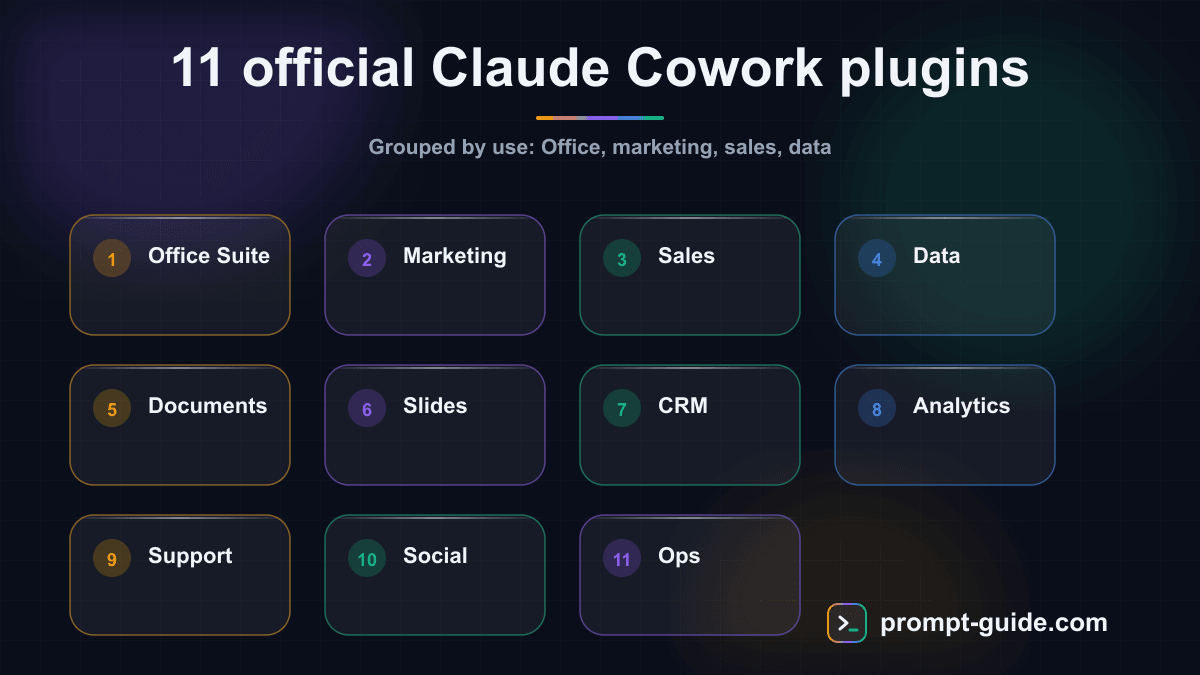
Claude Cowork is not just a conversational assistant. Thanks to its official plugin system, the agent can connect to your existing tools, read files in their native formats, and execute actions directly in your business applications. Anthropic has launched 11 official plugins covering the main professional domains. But which one should you install first? This comparative guide reviews each plugin with a rating, the most relevant use cases, and installation instructions.
How Claude Cowork plugins work
Cowork plugins are built on the MCP (Model Context Protocol), an open standard developed by Anthropic. Each plugin is an MCP server that exposes specific tools to Claude. When you install a plugin, Claude gains new capabilities: reading particular file formats, interacting with external APIs, or executing operations in third-party software.
Plugins are installed from the Cowork Marketplace in the interface, or via command line. Each requires initial configuration (usually an API key or OAuth authentication) then works transparently in your conversations.
1. Office Suite — Rating: 9/10
Read, create and modify Word, Excel, PowerPoint and PDF files. The most versatile plugin. Best use case: Transform a text brief into a formatted PowerPoint presentation, or analyze a 5,000-row Excel file for insights without writing a single formula. Preserves formatting, generates native Excel charts, and supports Word track changes. Large files (Excel > 50 MB) may slow the agent.
2. Marketing — Rating: 8/10
Connects to Google Analytics, Search Console, Meta Ads and Mailchimp. Best use case: Generate a weekly SEO performance report combining Search Console and Analytics data with automatic optimization recommendations. Does not yet support TikTok or LinkedIn Ads (planned Q3 2026).
3. Sales — Rating: 7/10
Integrates with HubSpot, Salesforce and Pipedrive. Best use case: Prepare a weekly pipeline review analyzing at-risk deals with action suggestions. Reads and writes to the CRM. Salesforce integration requires Enterprise API access.
4. Data — Rating: 9/10
Connects to SQL databases (PostgreSQL, MySQL, SQLite), BigQuery and CSV/Parquet files. Best use case: Explore an unknown database, understand its schema, and generate an analysis report with charts — all in natural language. Supports complex queries, generates Python charts, and offers configurable read-only mode. Databases with 200+ tables may be challenging to navigate.
Continue reading
Create a free account to access the rest of this guide and all our Claude Cowork content.
- Full access to Claude Cowork guides
- Ready-to-use prompts and Skills
- 100% free, no commitment

Prompt Guide
Founder of Prompt Guide and CEO of Webpulser. Digital and AI entrepreneur since 2006, he shares his field-tested prompt engineering techniques.
Practice what you learned
Interactive exercises to sharpen your prompting skills
Master Claude Cowork in 5 days
Get one email per day for 5 days with practical exercises, ready-to-use prompts and pro tips.
- 1Day 1: Setup and global instructions
- 2Day 2: Skills - customize your assistant
- 3Day 3: Scheduled tasks and automations
- 4Day 4: Plugins, connectors and Computer Use
- 5Day 5: Advanced workflows and business use cases
Claude Cowork Starter Kit
A ready-to-use context kit so Claude Cowork knows your profession from the moment you open it.
- Free and open source kit
- Compatible with Claude Cowork and Codex
- Ready-to-use context files
- Use cases for freelancers and consultants
Related Prompts
Transform long content into catchy social media posts
Transform your articles and long-form content into short, engaging social media publications.
Create Catchy Social Media Headlines
Generates punchy, optimized headlines for your social media posts, adapted to your audience and platform.
Summarize long articles or documents into clear summaries
Condense articles, reports, and lengthy documents into structured and directly usable summaries.
Write Professional Blog Posts and White Papers
Create engaging blog posts and professional white papers that strengthen your industry expertise.