Claude Skills: Build Your Automated Workflows (2026 Guide)
If you copy the same long prompt into Claude three times a week, you're doing the work your AI should do itself. Claude Skills, launched in late 2025 by Anthropic, turn every recurring workflow into an implicit command. You describe the procedure once in a SKILL.md file, and every time your message matches the trigger, Claude executes the workflow automatically, without you having to remind it.
Note: A well-designed Skill saves between 30 minutes and 2 hours per week, per industrialized task. Across 5 Skills, you reclaim a full day per month.
Why Skills change your relationship with AI
Most people use Claude as an occasional assistant: ask a question, get an answer. Useful but limited. Skills flip the dynamic: you become the employer, Claude becomes the employee. You describe once how you want a task done, and every time the need arises, Claude applies the procedure without you re-explaining.
This difference seems subtle but it's massive. An assistant waits for instructions. An employee knows your process. Across dozens of recurring tasks, the productivity gap is measured in hours saved per week.
Pro use case: your candidate review process
You hire regularly and always follow the same process: read CV, check LinkedIn profile, cross-reference with job description, identify 5 interview questions, write a synthesis sheet. Before: you re-explained to Claude for each application. With an "analyze-candidate" Skill: paste the CV, Claude executes the entire chain automatically, delivers the sheet in 30 seconds.
Personal use case: your monthly financial review
Each month-end, you review: aggregate bank statements, classify expenses by category, compare to previous month, identify anomalies, output a summary. With a "monthly-financial-review" Skill: upload the PDFs, Claude applies the pipeline, outputs the summary in .xlsx ready to archive.
What is a Skill, exactly?
A Claude Skill is a SKILL.md file containing two things:
A trigger description
— when Claude should apply this Skill (e.g., "when the user asks me to analyze a candidate")
The workflow to execute
— sequence of steps, tools to use, expected output format
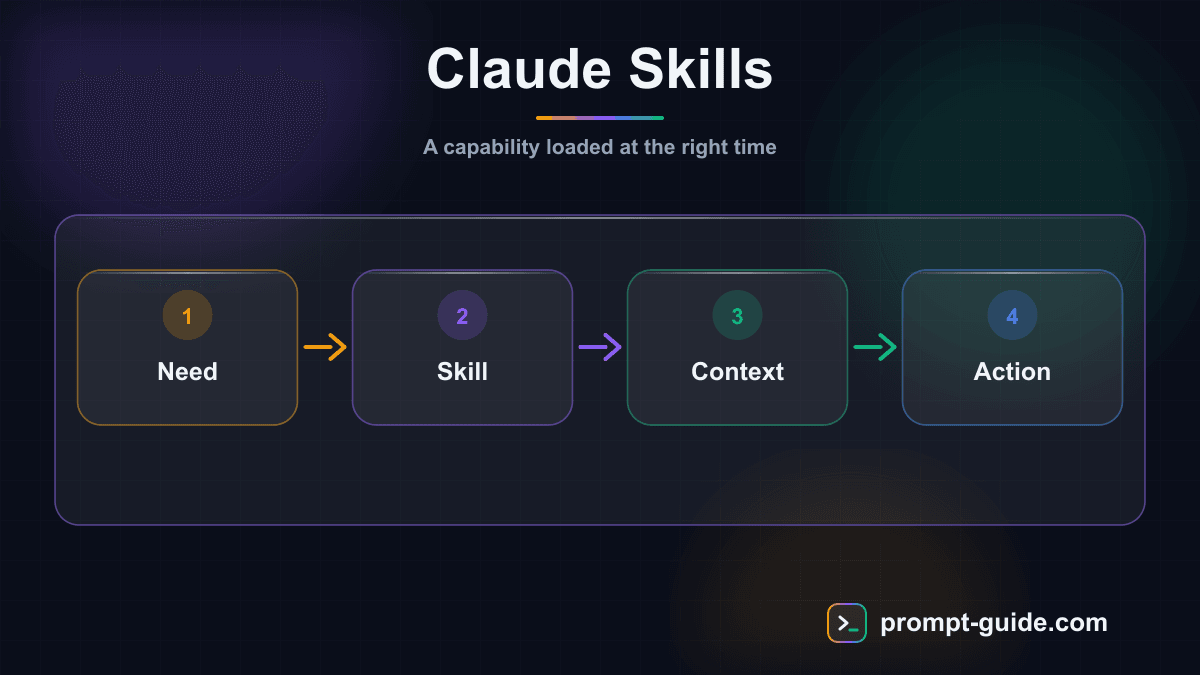
When you write a message to Claude, the engine compares your message to all available triggers. If a Skill matches, Claude applies the corresponding workflow without you having to mention it explicitly. This automatic detection changes everything: you no longer have to remember you have a Skill, you describe your need and Claude finds the right tool.
Skill vs prompt vs custom GPT
- A prompt is a single, isolated instruction. You rewrite it every time.
- A Custom GPT (OpenAI) is a pre-configured assistant you must explicitly select before each conversation.
- A Claude Skill triggers itself when the context of your message warrants. You don't select it, Claude detects it.
This UX difference is what makes Skills so powerful: zero friction to trigger.
How Claude detects a Skill
Claude uses your Skill's description field to decide if it applies. This description must be precise about trigger conditions. A vague description ("productivity utility") will never trigger. A precise one ("when the user wants to analyze a candidate or CV for a position") triggers at the right moment.
Golden rule: the description must describe when to use the Skill, not what it does. It's the most common beginner mistake.
Effective description example
Ineffective description example
The first clearly describes conditions. The second is too vague for Claude to know when to apply it.
Anatomy of a SKILL.md
A SKILL.md file follows a simple structure. Here's a commented example you can adapt.
The YAML block at the top (---) contains metadata. The description is the critical field: that's what Claude reads to decide if your Skill applies. The rest is the manual for Claude.
Build your first Skill in 30 minutes
The simplest way to understand Skills is to build one. Here's the procedure for a first "draft a customer email reply" Skill.
Step 1 — Identify the task
Pick a task you do at least twice a week that always follows the same pattern. Good candidates: reply to a recurring email type, generate a report format, classify a document, update a tracker.
Step 2 — Create the SKILL.md file
In the Claude desktop app, open settings → Skills → "Create a Skill." Fill in: name (short, kebab-case), precise trigger description, content (detailed workflow).
Step 3 — Test on a real case
Start a new Claude conversation and phrase your request as you naturally would. If Claude detects your Skill and applies it, you'll see "Skill used: [name]" appear in the response. Otherwise, your description is too vague — revise it.
Step 4 — Iterate on 3-5 cases
Test on multiple trigger variants (different phrasings, edge cases). Adapt the description and workflow until the Skill triggers reliably.
Step 5 — Measure the time saved
Compare time "with Skill" vs "without Skill." If you save at least 50%, the Skill is validated. Otherwise, some workflow steps probably need refinement.
Tip: start with simple Skills (1 input, 1 output, workflow of 3-5 steps max). Complex Skills (multi-file, multi-tool) are more powerful but require more iteration before being stable.
5 Skill ideas to build this week
Here are 5 high-ROI Skills you can deploy in the next 7 days, in increasing complexity.
Skill 1: meeting summary
You receive a meeting transcript (Otter, Tactiq, Google Meet). The Skill extracts: decisions made, actions assigned (who / what / when), open items, follow-ups. Markdown format. Saves 15 minutes per meeting.
Skill 2: product brief for your team
You describe a feature to build in 5 lines. The Skill generates: business goal, user story, acceptance criteria, dependencies, rough story-point estimate. Notion-ready format. Saves 30 minutes per feature.
Skill 3: commercial proposal analysis
You paste a proposal PDF received. The Skill extracts: services, pricing, terms, negotiation points to dig into, market comparable if available. Table format. Saves 1 hour per proposal.
Skill 4: quarterly OKR generation
You describe your strategic priority for the quarter. The Skill proposes: 3 SMART objectives, 3 key results per objective (measurable, dated), weekly check-points. Format ready to paste in your OKR tool. Saves 2 hours of structured thinking.
Skill 5: competitive intel agent
Combine this Skill with MCP web search. You give 3 competitor names, the Skill searches news from the last 7 days, identifies product / hire / funding announcements, generates a 1-page brief. Saves 2 hours of manual monitoring.
Skills vs Custom GPTs vs Plugins: when to use what
You have several options to package an AI workflow in 2026. Here's how to choose.
Choose a Claude Skill if…
- You work mainly in the Claude ecosystem (claude.ai, desktop app, Claude Code)
- You want the workflow to trigger automatically without you having to select it
- You want easy versioning and sharing (Skills are Markdown files)
Choose a Custom GPT (OpenAI) if…
- You mainly use ChatGPT
- You need a dedicated interface for external users (Custom GPTs are URL-shareable)
- You want to expose your tool publicly on the GPT Store
Choose a Gemini Gem if…
- Your stack is integrated with Google Workspace
- You want to leverage Gemini's native multimodal context
Combine multiple if…
You want the best of each ecosystem. A freelancer can have Claude Skills for business workflows (analysis, long writing) and ChatGPT Custom GPTs for simpler tools shared with clients. The two aren't exclusive.
Limits and best practices
Skills are powerful but require some discipline to remain maintainable.
Common mistakes to avoid
- Vague description — the Skill never triggers, or triggers at the wrong time.
- Overly complex workflow — a 50-step Skill becomes impossible to debug. Prefer breaking into 2-3 smaller Skills.
- No versioning — when you modify a Skill, keep the old version archived. You can regress without knowing.
- Duplicate Skills — if two Skills match the same trigger, Claude picks one, and not always the one you expect. Clear distinctions are mandatory.
Best practices for durable Skills
- One task = one Skill. Don't mix multiple workflows.
- Document expected usage in the SKILL.md (trigger examples, expected input format).
- Regular testing — re-run your Skill once a month to verify it still works after Claude evolutions.
- Team sharing — a
skills/folder in your git repo lets you version and share Skills among colleagues.
Going further
Claude Skills are part of a broader family of configurable assistants. To position Skills in the ecosystem:
- Custom GPTs (OpenAI) — the OpenAI equivalent, manually selectable (vs auto-triggered)
- Gemini Gems (Google) — the Google equivalent, integrated with Workspace
- MCP (Model Context Protocol) — the protocol to plug your Skills into external tools
- Claude Code — uses Skills directly from your terminal and VS Code
- Agentic Workflow — the general concept in which Skills are an orchestration brick
Frequently Asked Questions
Are Skills free?
Yes, creating and using a Skill costs nothing more than your Claude plan (Free, Pro, Max). The cost is the model inference that runs the workflow.
How many Skills can I create?
Anthropic doesn't communicate a formal limit, but in practice beyond 30-40 Skills you start having trigger collisions. Aim for 10-15 high-ROI Skills rather than a catalog.
Can a Skill call another Skill?
Indirectly yes. If a Skill's workflow generates a message matching another trigger, Claude can chain Skills automatically. You don't program it explicitly, it's emergent.
Are my Skills private?
By default yes: they're stored on your Claude account and visible only to you. You can choose to share them by exporting the SKILL.md file to a colleague.
Can I use Skills with Claude Code?
Yes, Claude Code (CLI / VS Code extension) supports Skills since 2026. You place SKILL.md files in .claude/skills/ at your project root. Particularly useful for dev workflows (release, refactor, deployment).
What's the difference between a Skill and a system instruction?
A system instruction (system prompt, or Project Instructions) applies to every message in a conversation. A Skill only triggers when its trigger matches. You can combine both: system for tone and general context, Skills for specific workflows.
Is there a Skills marketplace?
Anthropic announced an official marketplace for 2026, in addition to the community ecosystem developing on GitHub (search "awesome-claude-skills"). For now, many Skills are still shared via direct SKILL.md files.
Related Prompts
System prompt of an autonomous AI agent: identity, tools and guardrails
Generates a complete, portable system prompt for a tool-using AI agent: mission, scope, per-tool rules, three autonomy levels, security, doubt handling, report format.
Write a project's CLAUDE.md: the brief Claude Code reads at every session
Turns your project description into a dense CLAUDE.md: commands, structure, conventions, pitfalls, off-limits areas and situations where the agent must ask before acting.
Write a SKILL.md for Hermes Agent: turn a repetitive task into a skill
Converts a freely described manual task into a structured SKILL.md for Hermes Agent: triggers, preconditions, procedure, checks, failure cases, report.
Practice Exercises
Related guides
Continue your learning
You've finished this guide. Here's how to go further.
Practice what you learned
Interactive exercises to sharpen your prompting skills
Get new guides every week
Join our newsletter and never miss new content.